Cardputer Zero review
By Lucy Hattersley. Posted
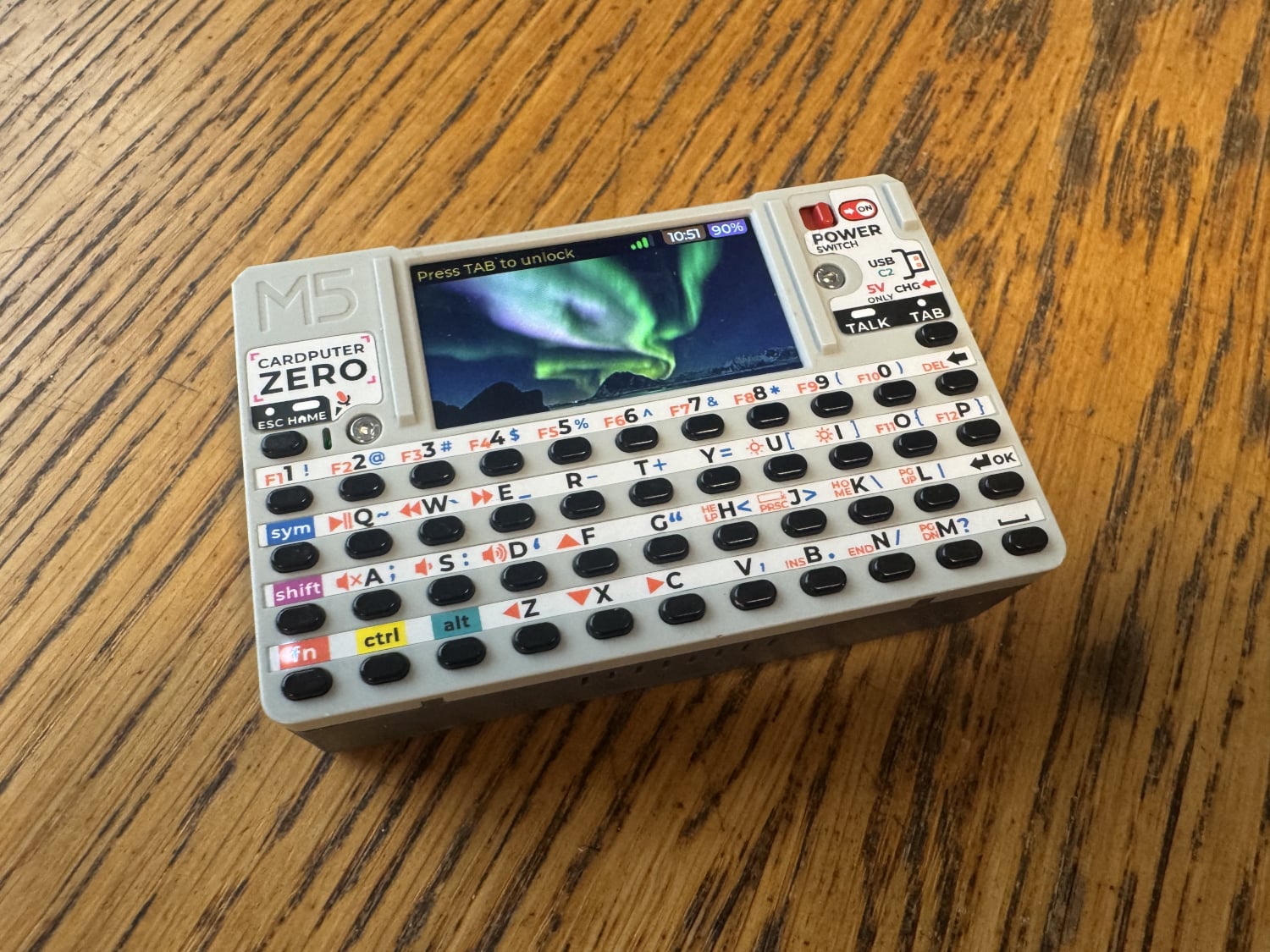
We might as well admit up front to being fairly smitten by M5Stack’s new Cardputer Zero, and the rest of this review might seem a little gushing.
What we have here is a Compute Module Zero packed inside a case with a 46-key matrix keyboard, 1.9-inch display, and 1750mAh battery.

Ask an Engineer – exclusive advice from the brains behind Raspberry Pi
But what’s Compute Module Zero, we hear you ask? It’s a special edition of the Compute Module created specifically for the Chinese industrial market and sold by EDATEC (rpimag.co/cm-zero). You can’t just buy this Raspberry Pi, and we were surprised to find a product land on our desks.
Compute Module Zero is a system-on-module (SoM) based on the RP3A0 chip. This provides the core processing capability of Raspberry Pi Zero 2 W in an embeddable form factor. Inside Compute Module Zero is a 1GHz quad-core 64-bit Arm Cortex-A53 CPU with 512MB LPDDR2 SDRAM. Compute Module Zero can come with 8 or 16GB eMMC flash storage, but the device here eschews that in favour of a 32GB microSD card. It comes supplied with a custom Raspberry Pi OS image with lots of special apps designed for the tiny display.
You will, however, be able to buy Cardputer Zero directly from the M5Stack website, and it has just had a successful Kickstarter with first models being delivered in November. We had ours slightly earlier.
Keyboard and screen
The keyboard has 46 keys controlled by a 5 × 10 key matrix TCA8418 keyboard scanner. The keys are arranged in a grid of 4 × 11 with your stock alphabetical characters, plus ‘shift’, ‘fn’, and ‘sym’ keys offering access to the special characters. All the special characters are printed on the keys, and blue, red, and orange colour coding makes it relatively easy to find the character you are looking for. You can double-tap any of the three modifier keys to lock them, and LEDs indicate status.
Above the main keyboard sit two dual-function ‘Esc/Home’ and ‘Talk/Tab’ keys which are held down for three seconds to access the secondary function. A primer walks you through using the keyboard on first setup.
The display is a 1.9-inch ST7789 IPS panel on SPI delivering 320 × 170 resolution; you get around 45 characters over ten rows in a terminal. So it’s a small screen, but it is perfectly readable for the command line.
The Raspberry Pi OS GUI would be too small on such a display, so instead you get a customised interface displaying a single app icon. At the time we tested, the apps were CLI, Python, ZClaw, SSH, IP Panel, Files, Camera, Rec, Music, Piano, Compass, IR Remote, IR Chat, Calculator, Snake, Tank, Keyboard Guide, Factory Test, GPS, LoRa, NFC, SubG, Chat, Settings, and Store. Some of the highlights in the store are RaspyJack (a red-team pentesting tool), MeshTerm (a MeshCore client), and RFID (an NFC/UHF scanner).
What’s it like to type on? Both terrible and brilliant. This keyboard clearly isn’t built for typing out your latest novel. However, it offers a level of precision that is perfectly suited for purpose. You can open the command line and type out simple commands, run programs, and edit files.
Ports and possibilities
Attached to Compute Module Zero, along with the keyboard and display, is a veritable smorgasbord of ports and sensors. There are two USB-C ports, one for charging and another for 5V output; a USB-A port; an Ethernet port (the CM0 provides Wi-Fi and Bluetooth); a 3.5mm audio jack; a speaker with a 1W amplifier; a microphone; and a camera.
There is a BMI270 motion sensor, BMM150 magnetometer, and an RX8130 real-time clock; an IR transmitter and a receiver. There is a PORT.X Grove connector with switchable I2C or UART pins (GND, 5V, TX, RX). This would enable you to add a vast range of input/output devices. The Pi Hut sells a Grove Starter Kit (rpimag.co/grove-starter-kit) with a range of light and sound sensors, buttons, and servos.
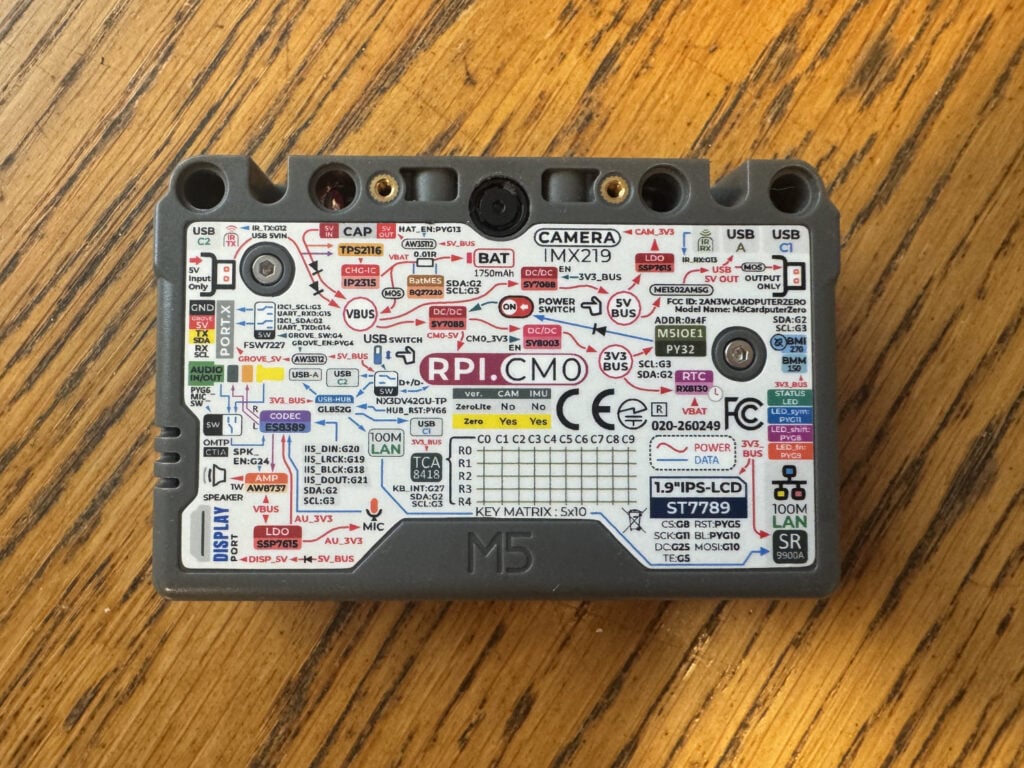
Then there is a 14-pin expansion header that carries SPI, UART, I2C, USB, GPIO, and 5V in/out that you can use to interface with a range of electronics. It truly is breathtaking how much is packed into this pocketable device, and a sticker on the back proudly crams a visual schematic of everything inside. The extensibility opens up a lot of input/output options.
Battery life
We tested the battery life and, in a nutshell, it is short, but you can safely power up and down using the rocker switch above the Talk/Tab button.
Cardputer Zero has a 3.7V, 1750mAh lithium battery monitored by a BQ27220. We ran a script that recorded the battery and CPU temperatures every 30 seconds with the CPU idle. Cardputer Zero ran for three hours and 46 minutes (3:46:42 to be exact). The battery temperature rose to 37.5°C and the CPU temperature peaked at 51.5°C.
We next ran the script with all four cores stressed and, unsurprisingly, it ran for a shorter amount of time. Just over an hour and 20 minutes (1:22:36). The battery temperature rose steadily to 49.9°C and the CPU temperature quickly got to 79.5°C and was likely held there as Raspberry Pi firmware safely throttled the device. With all four cores stressed, it was warm to the touch, but not too hot to hold. Perfectly usable.
This is not a laptop with an all-day battery and you can’t treat it as one. When we first started using it out and about, leaving it switched on, we found it didn’t last the morning, let alone the day. However, the On/Off rocker switch triggers a safe shutdown, and we timed the startup at 41.46 seconds. It’s well suited to firing up for scripting tasks and short bursts.
Software and daily driving
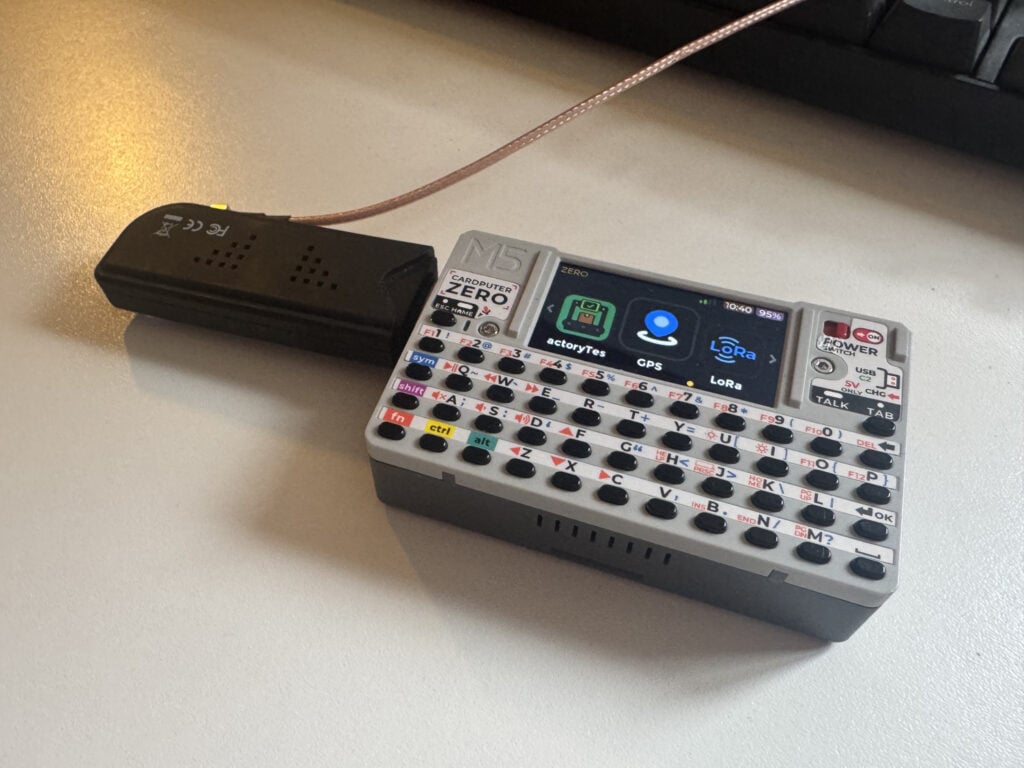
We tested Cardputer Zero with two projects currently in progress. We attached a DVB-T SDR (software-defined radio) dongle and used it to test out Flightradar24 and scan local planes. It worked perfectly, acting as both a Wi‑Fi hotspot and flight tracker to create a mobile plane-spotting tool.
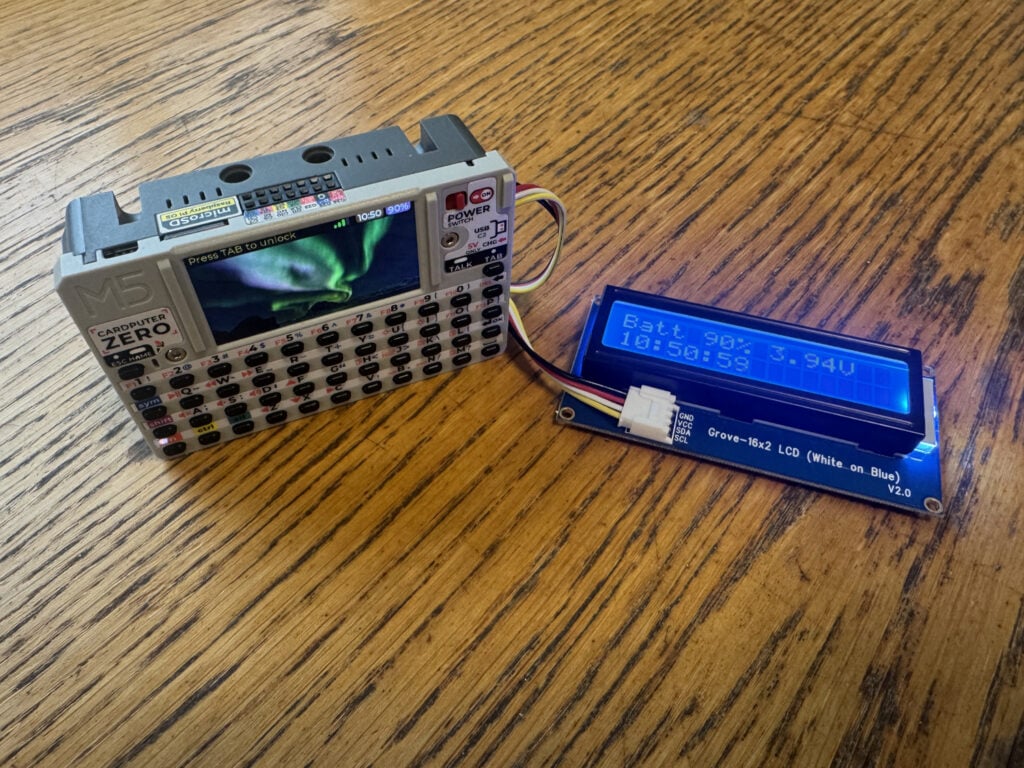
After that, we attached a Grove 16 × 2 LCD from a Grove Starter Kit and created a Python script to display the battery level, voltage, and current time.
A lot of fun was had with all projects and we can see this becoming a staple part of our toolkit.
Verdict
10/10
A feature-packed, highly extensible pocket computer, perfect for portable scripting and niche tech projects.

Lucy is Editor of Raspberry Pi Official Magazine.
Subscribe to Raspberry Pi Official Magazine
Save up to 37% off the cover price and get a FREE Raspberry Pi Pico 2 W with a subscription to Raspberry Pi Official Magazine.
More articles

Ask an Engineer in Raspberry Pi Official Magazine issue 172
It’s not just our engineers who are building things: Kat Shann, documentation specialist at Raspberry Pi, has built an intriguing way to commune with the spirit world via a Raspberry Pi-controlled ouija board. Inspired by the cyber-pet craze of the 1990s, Tara Carter has built her own, using a Raspberry Pi Zero 2 W to […]
Read more →
Win a CrowView Note & Raspberry Pi 5
Portable Raspberry Pi computing
Read more →
Raspberry Pi Cinema Camera
As in, it’s a cinema-grade quality camera. Created by menggu
Read more →