Cubism – holographic display
By David Crookes. Posted
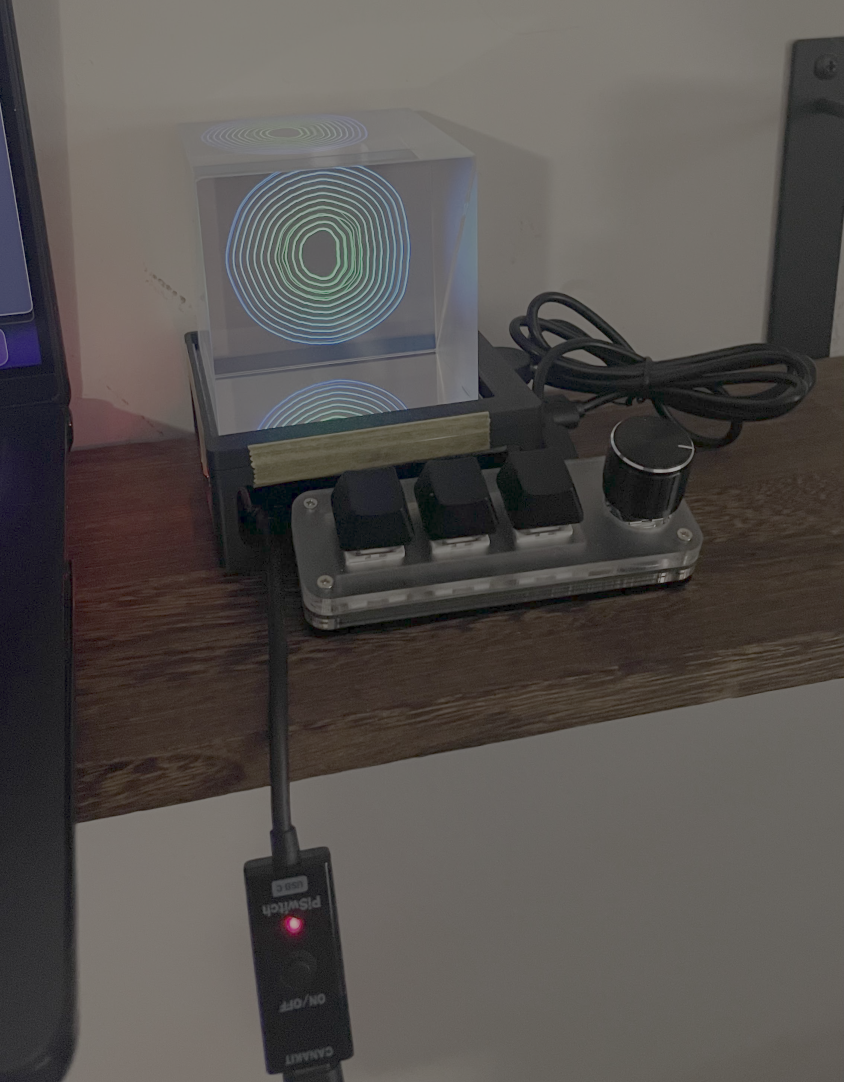
In the mid-1800s, an illusion technique called Pepper’s Ghost captured the imagination of theatre-goers. Popularised by John Henry Pepper, it used controlled lighting along with the reflective properties of a sheet of angled glass to show a hidden object on stage. To the audience, this object (usually a performer) would look transparent, like a ghost. The technique is still used today and it remains hugely effective.
A number of makers have sought to replicate this amazing trick at home using a beam-splitter cube, a square screen and a Raspberry Pi 5 computer. Among them is Jung Rae Jang who has created a media player and clock device with a built-in AI assistant. He took inspiration from an interactive ASCII Aquarium project he spotted on Instagram
as well as Xandar Chin’s OpenGhost project.
“I found the STL files for the project and the required parts and decided to build the project using my own code,” Jung says. As he waited for the hardware to be delivered, he began thinking which tech stack to use for the software and basic system architecture and, as someone proficient in JavaScript, he opted for using Next.js, building in Cursor using its AI-assisted development features.
Square deal
He had a list of features he wanted to include. “I wanted features commonly found in other home assistant apps such as a clock, calendar, weather forecasts, stock market tracker and flight tracker,” he says. He also wanted to include a Spotify controller and audio visualiser. By playing music, he envisaged wonderful patterns appearing within the cube.
Jung achieved this by developing two apps. One is a control panel on his PC and the other is a full-screen renderer on the Raspberry Pi. In essence he’s created a web app running on full-screen Chromium via Raspberry Pi 5. The two computers stay in sync over a wireless LAN through a real-time bridge.
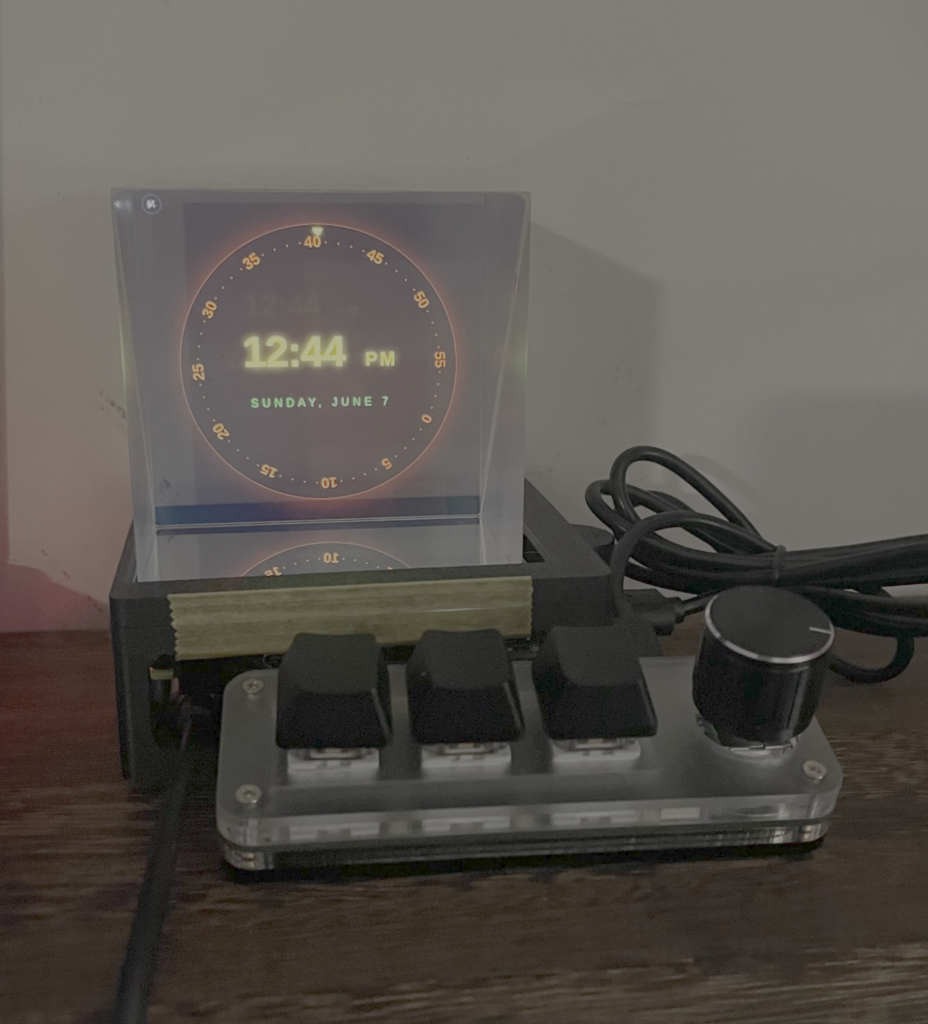
By sitting the beam-splitter cube on the Raspberry Pi display, the Raspberry Pi is able to drive a screen underneath so that any displayed images look like they’re floating in mid-air. Optimising the renderer was the greatest challenge – “the biggest headache,” Jung adds – but it now works well, proving especially stunning in the dark.
More power
So how does it work? Jung says he picks a module in the browser – such as clock, weather, Spotify, aquarium, and AI assistant – and Raspberry Pi immediately updates the renderer. “The system is designed to minimise resource usage on Raspberry Pi, so most of the heavy lifting and API calls are all made on the desktop app. Also, I want to create a system where modules can be added and managed easily for new features.”
For the AI assistant, Jung talks into a USB microphone connected to the project’s Raspberry Pi. “My PC transcribes the audio locally, runs it through LM Studio, shows the reply on the cube display, and speaks it aloud, all on my home network,” he says. Jung uses Gemma 4 for a local LLM (large language model) with a Brave MCP (Model Context Protocol) connection for the web search.
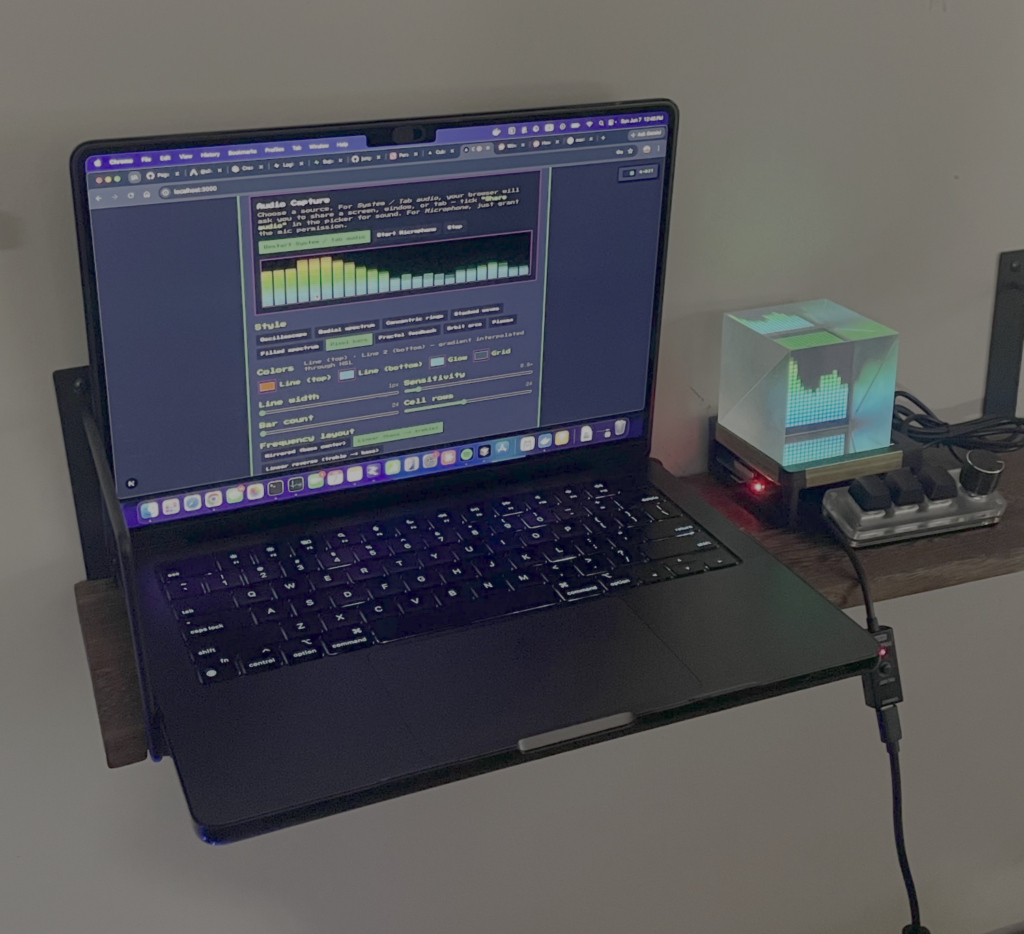
Jung loves the effect and his head is swimming with more ideas. “I want to add more Winamp-style visuals for my audio visualiser module and I’d love to find a way to run Doom on it,” he reveals. “My friend also suggested having Zordon from Power Rangers as an AI assistant face. We shall see.”

Subscribe to Raspberry Pi Official Magazine
Save up to 37% off the cover price and get a FREE Raspberry Pi Pico 2 W with a subscription to Raspberry Pi Official Magazine.
More articles
MirrorBallBot
This trick uses no smoke but it does use mirrors
Read more →
Digital Displays in Raspberry Pi Official Magazine 170
Some projects seem more like magic to us than anything else; here’s one of them. This robot by Italian engineer/magician Andrea Favero uses a mirror to widen the field of vision of a Raspberry Pi Camera Module 3, the input from which is processed by Raspberry Pi 4 and used to control three legs to […]
Read more →
Win a Development Kit for Compute Module 5
Make CM5 development easier with our competition
Read more →