oDuckberry
By David Crookes. Posted
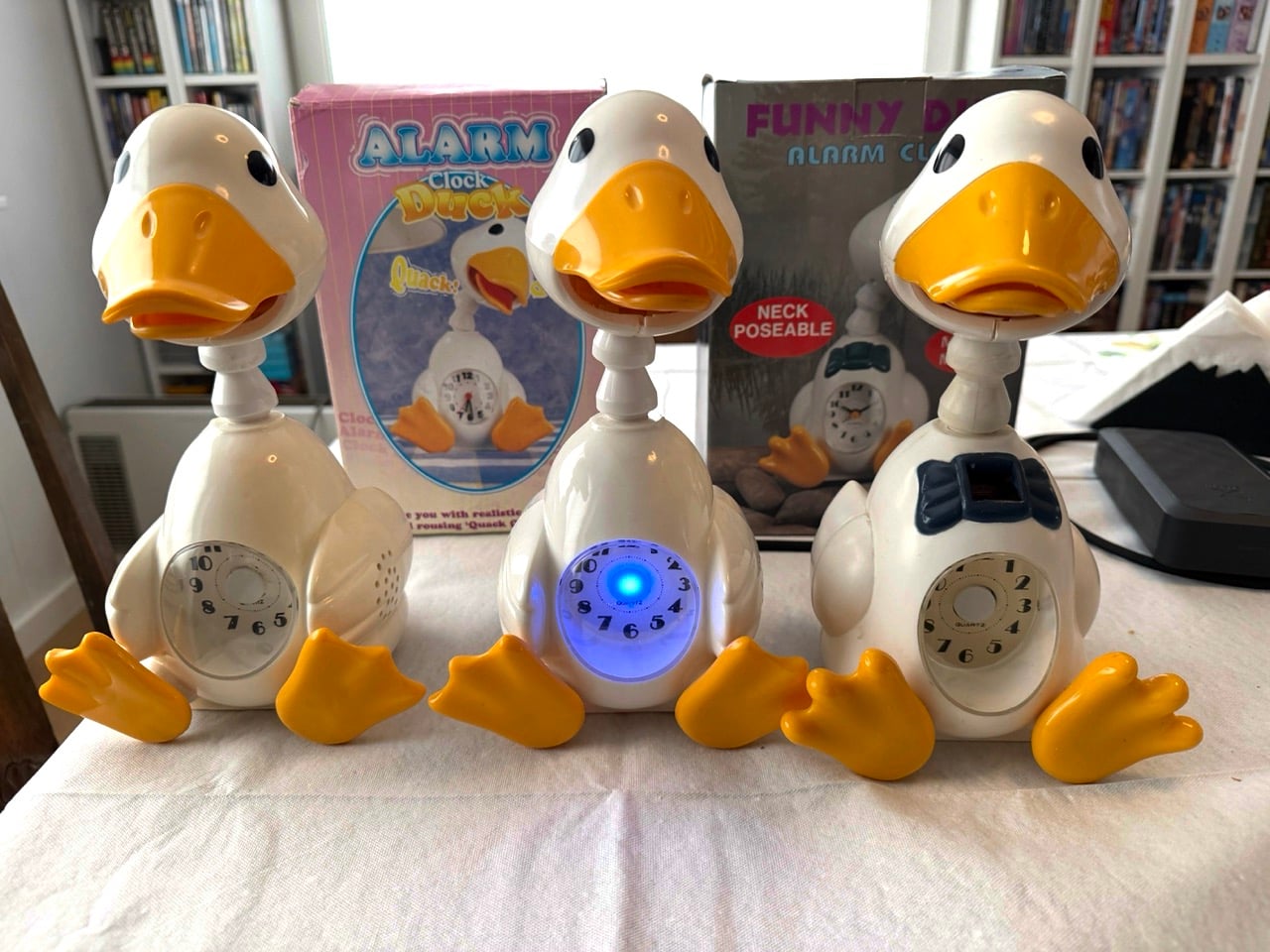
Some of the best ideas in life can feel rather ‘quackers’, and that’s certainly the case with Osmund Grov’s project. He’s built an AI assistant housed in an old duck alarm clock and, when words are uttered, the plastic waterfowl’s mouth moves – producing something a tad “terrifying”, Redditors joked after Osmund shared his work on the discussion platform.
“I was inspired by a couple of fairly boring home assistants from Amazon and Google,” Osmund explains. “I wanted something with a bit more personality and briefly considered 3D-printing a custom enclosure. Then I remembered an annoying duck alarm clock I’d been given for a birthday. At that point, it just felt like the obvious choice.”

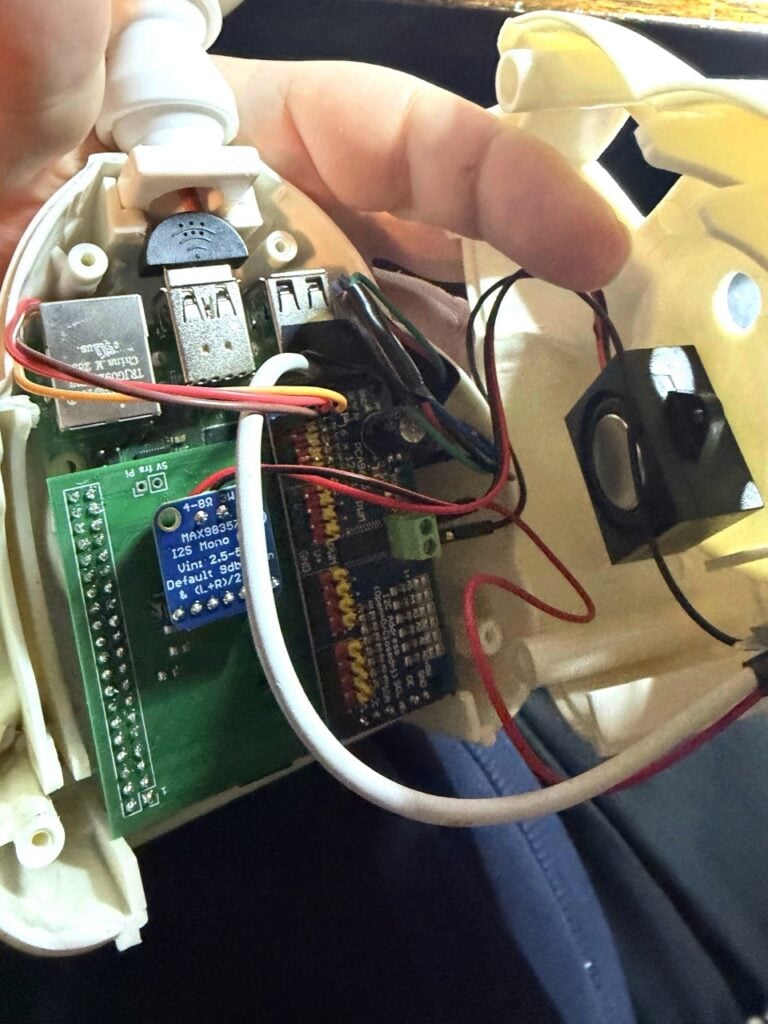
The project evolved organically. “From the start, I wanted to interact with the AI in the same way I do with regular home assistants, using voice,” he says. “I also wanted the duck’s beak to move in sync with the AI’s responses.” To achieve this, he tore out the duck’s electronics and replaced them with a Raspberry Pi 4 computer, a custom PCB, and a cheap SG90 micro servo motor which allows for small-angle movements.
“I originally planned to add head movement as well, but there simply wasn’t enough room inside the duck for more servos and I didn’t want to heavily modify the duck itself,” Osmund adds. “Some ideas were also dropped simply due to physical constraints.”
Quacking on
Osmund felt Raspberry Pi 4 was a perfect fit for this project. “I already had a Raspberry Pi computer and a breadboard from earlier small projects,” he says. “Raspberry Pi 4 is relatively inexpensive and has enough memory and CPU power to run the software while also driving the servo and LEDs.”
Importantly, it meant he could power everything using a small USB-C PD trigger, supplying enough power to both Raspberry Pi and the servo controller. “Most of the other components were chosen based on availability and how well they would fit inside the duck,” Osmund says. Those components included an inexpensive Adafruit I2S 3W Class D Amplifier Breakout, a small speaker, and a small USB microphone.
More feathered friends
The biggest challenge was the number of GPIO pins needed for the audio, LEDs, and the servo controller. As such, Osmund says the first iteration had a spaghetti of cable inside the duck. “Eventually, I realised I needed a custom HAT to get proper control, so I designed one in KiCad,” he adds. “The sound card and servo controller are soldered directly onto the HAT, which also includes LED pins.”
Osmund used the wake word detection engine Porcupine. He also used Microsoft Azure Speech for the speech-to-text and text-to-speech handling, and OpenAI GPT models to generate the AI responses. As it stands, this causes a delay.
“It can take up to five seconds from asking a question to getting a response, so I may use OpenAI’s speech-to-speech capabilities instead,” he says. That small issue aside, the project works swimmingly well.
It’s proven so effective that Osmund has purchased two more ducks on eBay and he now has plans to make all three talk to each other and maybe even speak more languages. He’s also experimenting with short- and long-term memory stored in the multi-model database Azure Cosmos DB, and he wants the duck to have cross-session memory. As far as quirky AI projects go, this one definitely fits the bill.

Subscribe to Raspberry Pi Official Magazine
Save up to 37% off the cover price and get a FREE Raspberry Pi Pico 2 W with a subscription to Raspberry Pi Official Magazine.
More articles

Raspberry Pi Official Annual 2027 is out now!
New name, same fantastic content
Read more →

Robot arm lamp
This won’t be jumping on any animation studio logos
Read more →

Sage Cadence interview
An electrical engineering student trying to provide the educational content she would have wanted
Read more →