Pico audio
By Andrew Gregory. Posted
This article was originally published as part of HackSpace magazine, which has since been incorporated into Raspberry Pi Official Magazine.

I have several audio sources that I need to route into a single auxiliary input in my amplifier, so I used to have to unplug one to plug another source in. For example, if I was listening to a CD and wanted to switch to a DAC/Volumio source, or if I was listening to a vinyl record and then wanted to hear a song from a Bluetooth source, I needed a device to help me with this.
“I knew that I needed the project to be able to power up and power of without waiting for an operating system to boot – this made the Pico a far better choice than a Raspberry Pi Zero.
“So, to the point; for this project I used a Pico to control two 8-relay control boards, so I got eight stereo inputs that I can switch by means of a joystick, although I use it only from left to right to select the different audio sources. I also used an I2C OLED display to show my family logo at the beginning and the selected source after a couple of seconds, which is the time needed by the amp to power up and be ready. After a power-off, the last selected source gets saved, so on power-up, it will always come up with the last selected source.”

Take back control of your online data, with Raspberry Pi.

Features Editor Andrew trawls the internet for Cool Stuff while keeping the magazine running smoothly.
Subscribe to Raspberry Pi Official Magazine
Save up to 37% off the cover price and get a FREE Raspberry Pi Pico 2 W with a subscription to Raspberry Pi Official Magazine.
More articles

Paper console
Look at those physical controls! This device is built to be beautiful: it’s made out of walnut and brass.
Read more →

Take Back Your Cloud in Raspberry Pi Official Magazine 165
We’re all-too accustomed to the feling of being watched on the internet. A search for any product leads to adverts, emails, and goodness knows how many bots tracking you. It feels weird and intrusive, and we aren’t being paranoid – they really are watching us. Luckily you don’t have to reply on online services that […]
Read more →
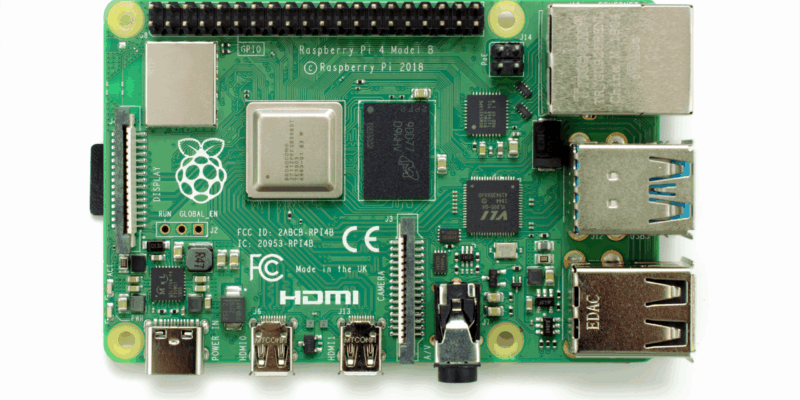
Win one of three Raspberry Pi 4 with 3GB RAM!
Raspberry Pi 4 is still a powerful piece of kit, and this new 3GB version is great for projects and builds that need slightly more than 2GB of RAM but don’t quite need 4GB. We have three to give away and you can enter below. Win 1 of 3 Raspberry Pi 4 3GB
Read more →