D&D Book
By Rob Zwetsloot. Posted
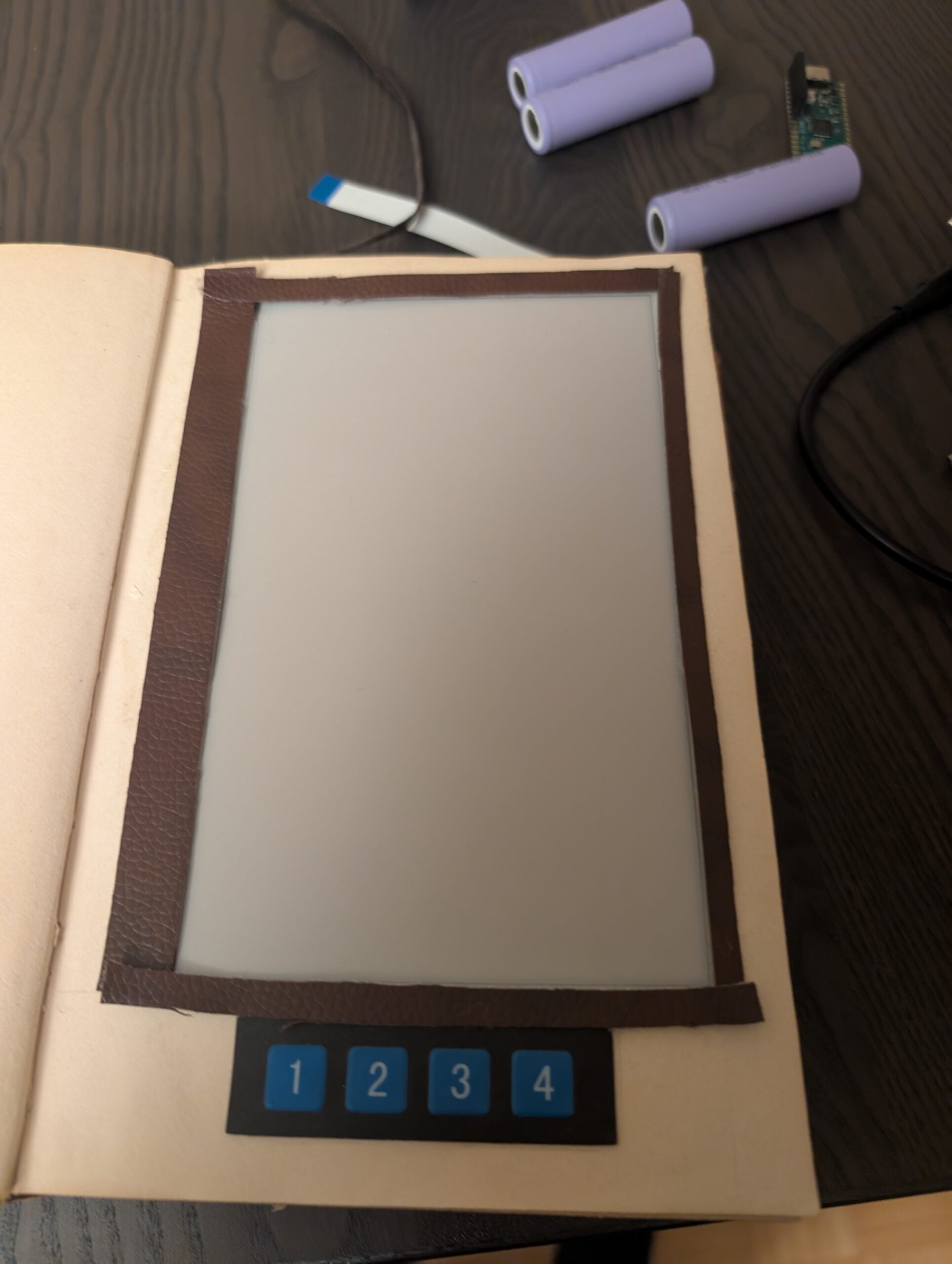
Table top role-playing games (TTRPGs) have never been bigger, and the biggest of them all is still Dungeons & Dragons (D&D), the epic fantasy RPG definitely not based on Lord of the Rings. They’re halflings, after all. While you can still get massive tomes of knowledge to play the game, for a very long time you’ve been able to read the rules digitally too. What if you wanted a mix of both, making the physical process easier to transport? This is where Géza Csorba comes in.
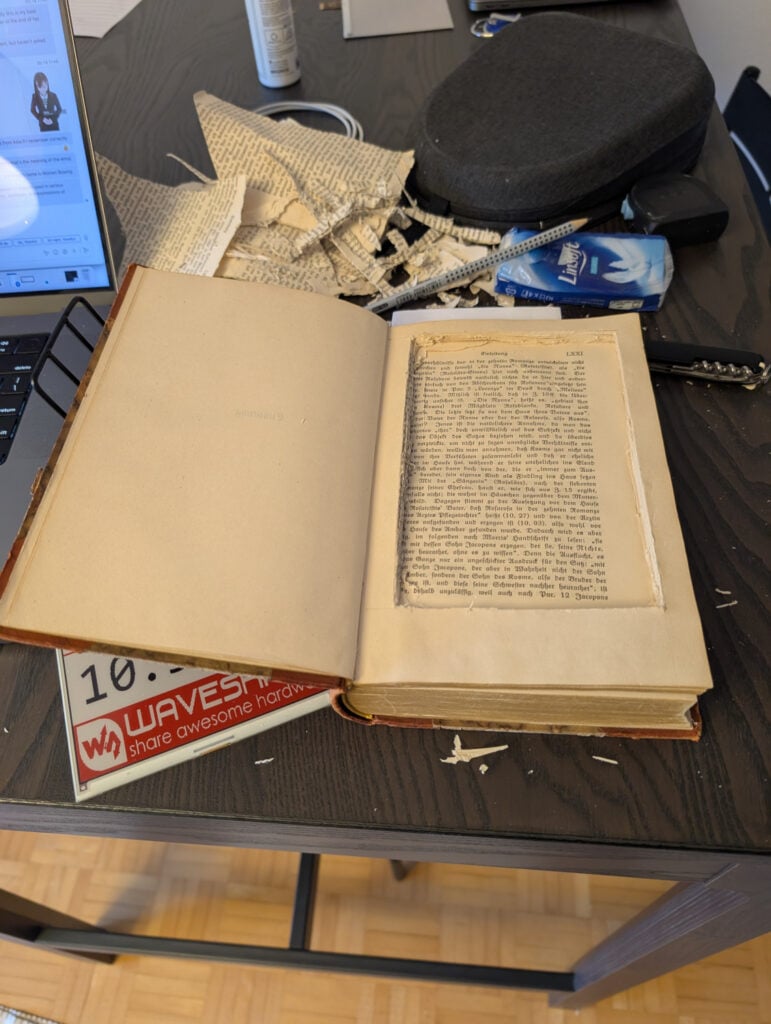
“I [got a] Raspberry Pi 5 and some sensors, then I found an e-ink display online and couldn’t resist the idea of making something out of it,” Géza explains. “An e-book reader seemed like the most obvious option, but the display isn’t very fast, and the ~20-second rendering time made me sad and almost made me give up. Luckily, we started playing a D&D game with some friends, and suddenly, the idea popped into my head.”
Thus an ancient codex of digital knowledge was born.
Forgotten digital realms
Despite a Raspberry Pi 5 inspiring the build, it instead uses a Raspberry Pi Zero 2 W to display the text and receives button inputs in the book from a Raspberry Pi Pico acting as an HID (human input device), like a keyboard. There are four buttons for navigating the pages, the latter being handled by Zero 2 W.
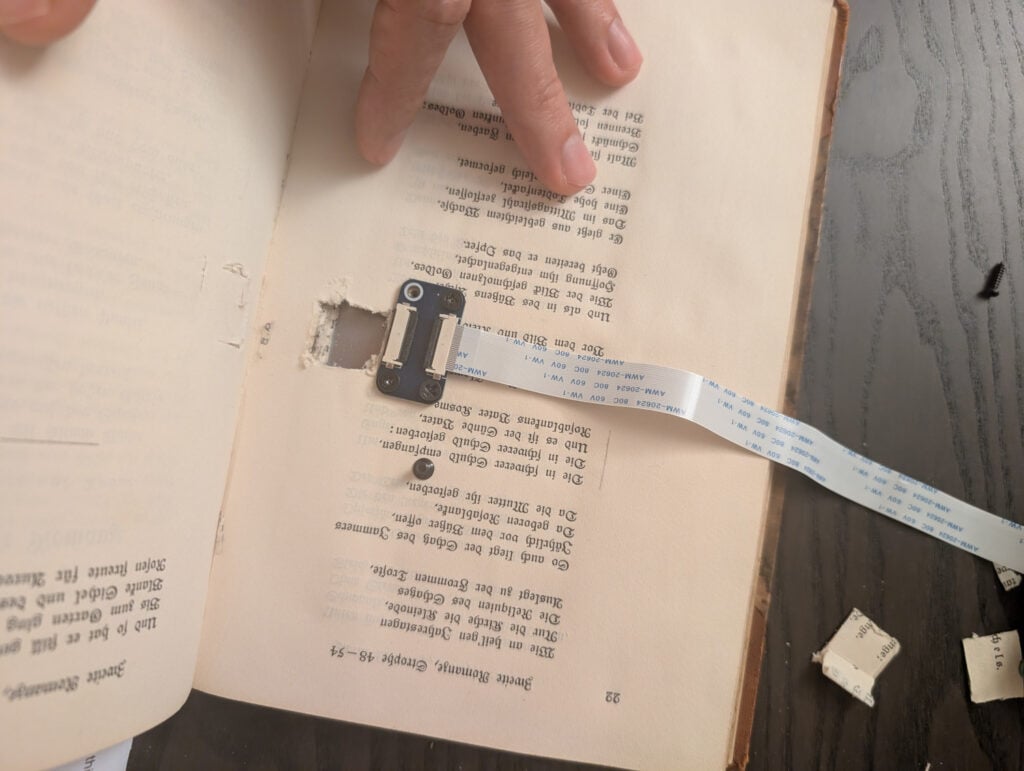
“Raspberry Pi Zero 2 W runs an app written in Rust,” Géza says. “The Rust app can use the C program that can render text and images on the display. The renderer is written in C because I reused some of the Waveshare sample code and, since C is not my favourite language, I kept it as a low-level program with some public API that can be used by other programs. There’s a Node.js app that starts after booting the device if it’s configured so, and hosts a website for uploading text and image files for the game.”
There are some limits to displaying like this, some of which were set by Géza.
“Each page can have three paragraphs, and each paragraph can be text or an image,” he tells us. “There is an option for full page rendering, as well. The images can have three colours only (black, white, red) because of the display. As of now, I manually use some dithering algorithm on the images that I upload. It’s also a future update task to make them automatic, as there are CLIs that can do this after an upload.”
Reading with advantage
While Géza admits it’s not perfect (he has to log in via Raspberry Pi Connect to shut it all down), and he would like to improve the rendering of the menu and images, it is serving its purpose.
“The old book look and the rendering effect stunned my friends, so I’m a happy Dungeon Master,” Géza says. “A battery of 5500mAh is used to power the book, so I had no power issue during the game session.”
We think the project deserves an Inspiration point.

Rob is amazing. He’s also the Features Editor of Raspberry Pi Official Magazine, a hobbyist maker, cosplayer, comic book writer, and extremely modest.
Subscribe to Raspberry Pi Official Magazine
Save up to 37% off the cover price and get a FREE Raspberry Pi Pico 2 W with a subscription to Raspberry Pi Official Magazine.
More articles
Incredible Weather Projects in Raspberry Pi Official Magazine issue 171
If the planet gets too hot/too cold/too drizzly for human habitation, we’ll probably want to leave Earth in search of a better one. That means we’ll need a flight computer, and maker Michael Newton is one step ahead: he’s built a replica of the DSKY (display keyboard) interface from the Apollo Guidance Computer. Now you […]
Read more →

Win one of five Sense HAT bundles
Get a Sense HAT add-on and book in our latest competition
Read more →
Red Raven cyberdeck
Powered by drills
Read more →