Environmental cargo logger
By Rob Zwetsloot. Posted
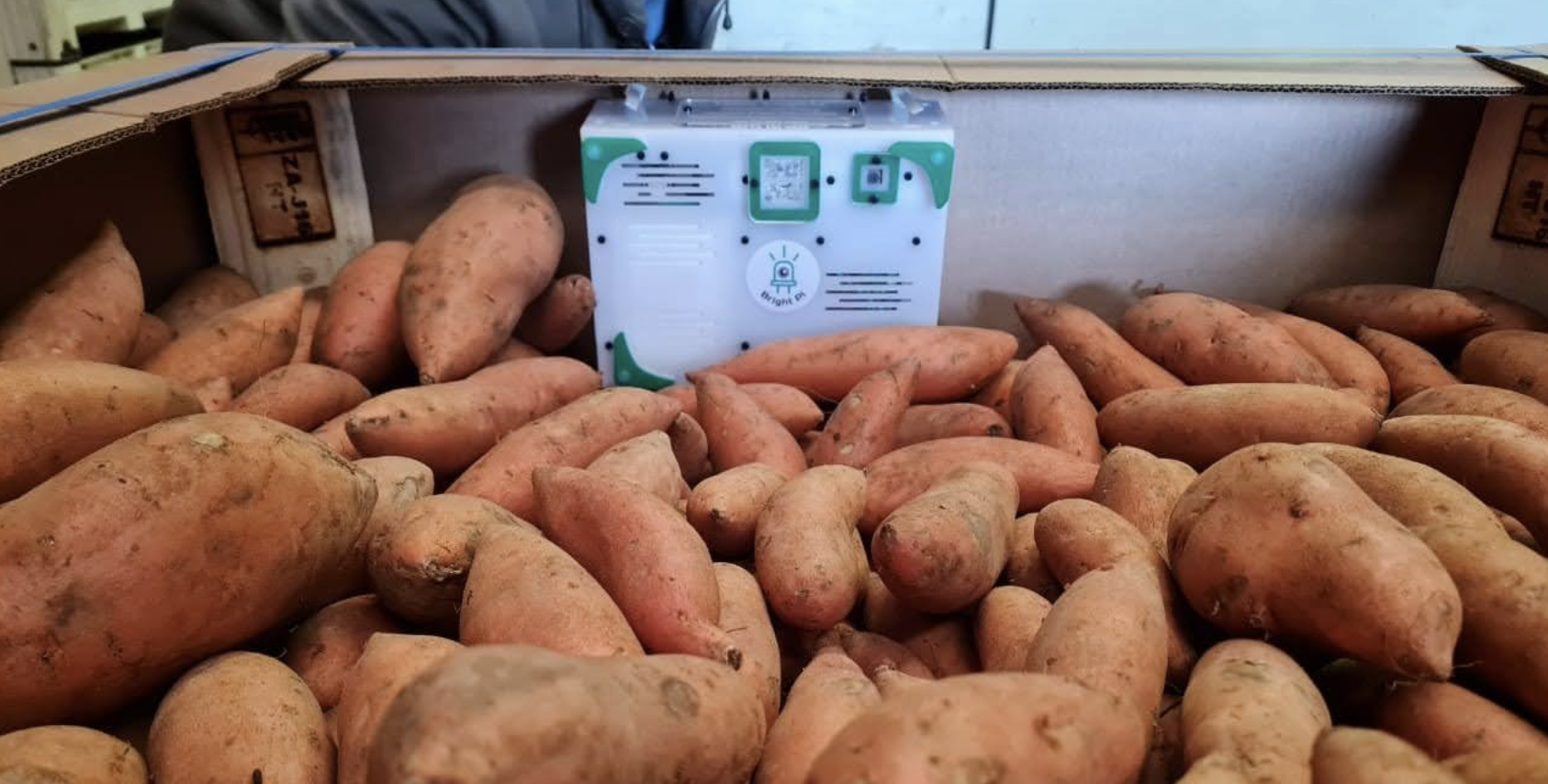
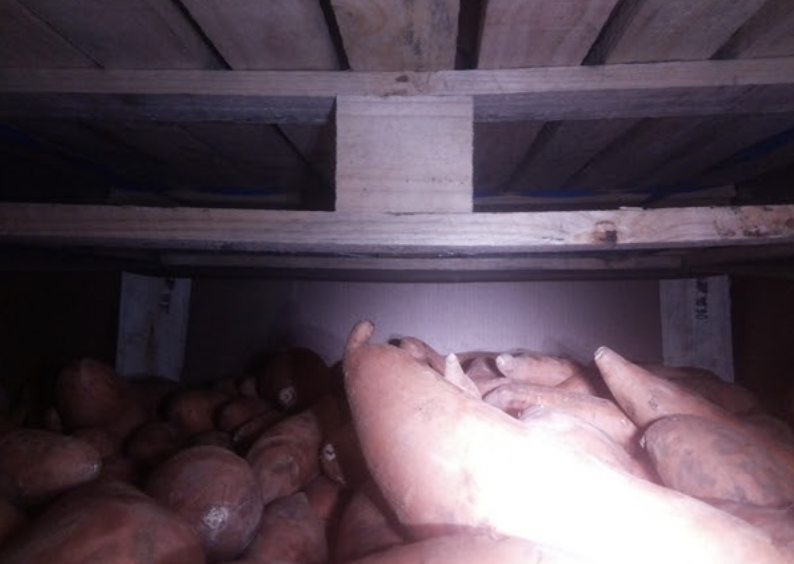
Getting sweet potatoes from South Africa to the Netherlands takes a while. It’s a long way, and one farm wanted to figure out what the potatoes went through on their 40-or-so day journey. This is where Thinus Prinsloo came in.
“I was approached [by Zilverstoom Farms] to come up with a solution to monitor a cargo of sweet potatoes on their sea voyage to the Netherlands,” Thinus tells us. “They wanted a visual record of the inside of a cargo bay for the duration of the sea voyage. The idea was to put a logger in a bin with sweet potatoes and log the environment in the bin for 40+ days, taking daily photos of the cargo. Once the logger arrived in the Netherlands, the data were collected from the USB drive and sent back to Zilverstroom Farms.”
Advertisement
Get started with Raspberry Pi – everything you need to know to start your journey!
For this project’s requirements, a Raspberry Pi Zero became the obvious choice for Thinus.
“There are numerous commercial environment loggers on the market to monitor cargo, but the client also wanted to have a visual record of the whole sea voyage. The requirements for the logger system were: to be powered by battery, low power consumption, low component costs, to allow the use of custom programming code, [and] consist of easy-to-come-by, off-the-shelf components. They also wanted flexibility – the ability to reuse the system components for other projects in the future. The sensor readings and photos would also be stored on a USB flash drive for easy collection… Raspberry Pi Zero checked all the boxes for the above requirements.”
Potato stats
Running continuously for 40 days is no real problem for a Linux-powered box like Raspberry Pi – there are several out there that have logged over 1000 days’ uptime – however, there’s no handy plug socket for Raspberry Pi to use here.
To conserve as much power as possible, a PiJuice HAT with a power supply and a real-time clock was used to power on the system once a day for just five minutes to do its job.
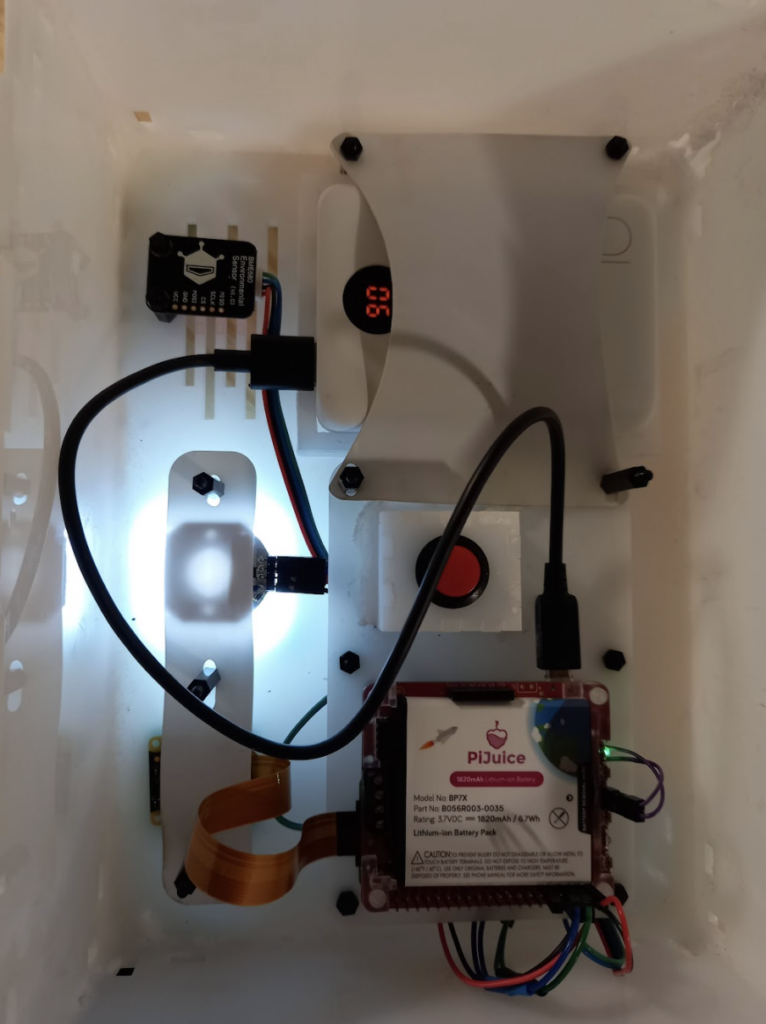
“Once Raspberry Pi was switched on, the temperature, humidity, and atmospheric pressure readings were taken and written to the USB flash drive,” Thinus explains. “As a failsafe, the data is also written to the SD card of Raspberry Pi.”
Thinus describes it working as follows. During the start-up process, crontab events at reboot are scheduled to:
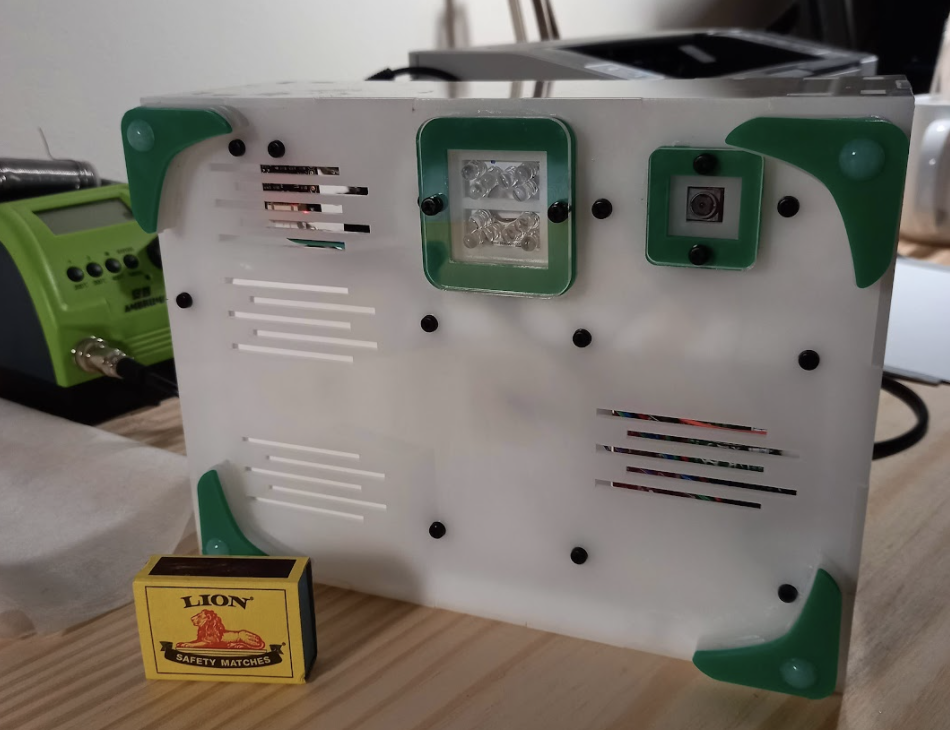
– Take a photo after 45 seconds using a Bash script to:
◦Switch on the bright LED and take a photo with the Pi camera and save it to the SD card
◦Switch off the bright LED and switch on the infrared LED
◦Take an infrared photo with the camera and save it to the SD card
◦Copy the photos to the USB drive
– Read the sensor data after 30 seconds with a Python script:
◦Write the measurements for the temperature, humidity, and atmospheric pressure to a log file on the SD card
◦Copy the log file to the flash drive
– Set the PiJuice shutdown trigger for shutting down using a Python script.
Tuber analysis
Using results from the logger, the farm has put measures in place to reduce transit time for their sweet potatoes. The data also revealed some interesting stats, such as the big temperature shifts mainly occurring on the 1000 km journey from the farm to the harbour, and the unloading of the cargo at the destination. The potatoes also noticeably shrank over the course of the journey.
“It worked very well, and for longer than anticipated,” Thinus mentions.

Rob is amazing. He’s also the Features Editor of Raspberry Pi Official Magazine, a hobbyist maker, cosplayer, comic book writer, and extremely modest.
Subscribe to Raspberry Pi Official Magazine
Save up to 37% off the cover price and get a FREE Raspberry Pi Pico 2 W with a subscription to Raspberry Pi Official Magazine.
More articles
Get started with Raspberry Pi in Raspberry Pi Official Magazine 161
There’s loads going on in this issue: first of all, how about using a capacitive touch board and Raspberry Pi 5 to turn a quilt into an input device? Nicola King shows you how. If you’re more into sawing and drilling than needlework, Jo Hinchliffe has built an underwater rover out of plastic piping and […]
Read more →

Win one of three DreamHAT+ radars!
That’s right, an actual working radar for your Raspberry Pi. We reviewed it a few months ago and have since been amazed at some of the projects that have used it, like last month’s motion sensor from the movie Aliens. Sound good? Well we have a few to give away, and you can enter below. […]
Read more →
RP2350 Pico W5 review
It’s Raspberry Pi Pico 2, but with a lot more memory
Read more →