JustBoom Smart Remote review
By Russell Barnes. Posted

A minimalist AV remote with a six-axis gyro installed. Should this replace your current media remote?
There were always jokes about the Wii Remote looking like a TV remote control, and it looks as if the JustBoom team has taken these jokes as inspiration for a slightly different kind of media remote. While looking simplistic, with only a few buttons, the Smart Remote’s secret is that it contains a six-axis gyroscope that allows for a degree of motion control.
The full article can be found in The MagPi 57 and was written by Rob Zwetsloot.
Luckily, this feature isn’t on all the time. It is activated and deactivated by pressing the button in the middle of the volume control strip, and emulates a mouse pointer moving around the screen as the user dictates, by flicking and tilting the remote.
It works pretty well, making an instant transition between modes, and can easily be recentred by turning the motion controls off and on again. We found on Kodi that it tracked across the screen fairly slowly, forcing you to bend your wrist to extreme angles to get to the corners. On Windows PCs, and indeed on the Raspberry Pi, it required less work to move around the screen.
As for being a pure media remote, it does the job well. JustBoom claims that it’s designed to have the bare minimum of useful buttons for media viewing, and for Kodi this works well. The thing we missed most was a Play/Pause button, but you can definitely get used to tapping OK twice to pause, so it’s quite a minor complaint.
The build quality is pretty decent as well, with the buttons making satisfying clicks as you push them. They’re also nice and large, so you’re unlikely to push the wrong one.
As mentioned earlier, they do work on the Raspberry Pi desktop, which is pretty neat. The OK button works as a normal mouse click, and Back and Home work on a browser. It could well be useful in a classroom environment, as well as in the home, for media viewing.
Last word
4/5
It’s a decent bit of kit with a unique feature. We’d like a Play/Pause button, but otherwise it’s perfectly serviceable.

Russell runs Raspberry Pi Press, which includes The MagPi, Hello World, HackSpace magazine, and book projects. He’s a massive sci-fi bore.
Subscribe to Raspberry Pi Official Magazine
Save up to 37% off the cover price and get a FREE Raspberry Pi Pico 2 W with a subscription to Raspberry Pi Official Magazine.
More articles
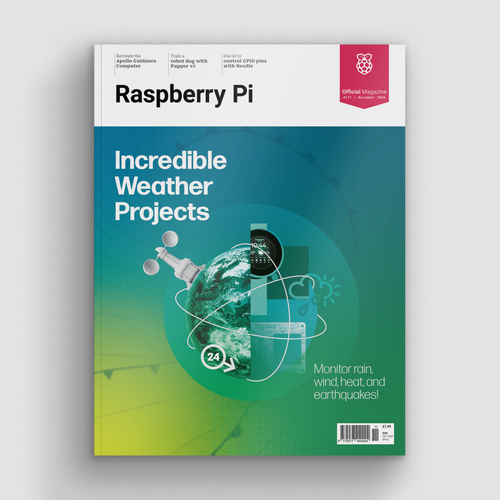
Incredible Weather Projects in Raspberry Pi Official Magazine issue 171
If the planet gets too hot/too cold/too drizzly for human habitation, we’ll probably want to leave Earth in search of a better one. That means we’ll need a flight computer, and maker Michael Newton is one step ahead: he’s built a replica of the DSKY (display keyboard) interface from the Apollo Guidance Computer. Now you […]
Read more →
Win one of five Sense HAT bundles
Get a Sense HAT add-on and book in our latest competition
Read more →

Red Raven cyberdeck
Powered by drills
Read more →