M.A.R.S. Rover review
By Phil King. Posted

As we don’t have our own spaceship, we aren’t be able to test out 4tronix’s M.A.R.S. Rover on another world, but it’s an impressive vehicle featuring six driven wheels, four of them steerable, and a unique suspension system.
With no fewer than three space missions heading for the ‘red planet’ this summer, Mars is a hot destination right now. Traversing its rocky landscape will be two new rovers, including NASA’s Perseverance Rover.
Like its predecessors, including Curiosity, Perseverance features a rocker-bogie suspension system that enables it to clamber over large rocks without tipping over. A similar system is used by the 4tronix M.A.R.S. Rover, enabling it to tackle tough terrain. To help avoid larger obstacles and walls, the Rover features a rotating mast with ultrasonic sensor.
Advertisement
Get started with Raspberry Pi – everything you need to know to start your journey!
Start building
Packed in a cardboard box, the kit features a large array of components, including six motors, five servos, and no fewer than 30 PCB shapes to create the structure. In large kits like these, finding the right components and tiny screws can be a pain, so it’s a great help that they’re sorted into ten plastic bags relating to each step of the assembly process.
The latter is detailed in an online guide featuring plenty of photos, making it easy to follow. Even so, you’ll need plenty of time to build such a serious kit. 4tronix reckons it will take even an experienced kit builder around two hours; for others, you can at least double that time.
In the event, it took us several hours to assemble, partly due to an issue with screwing the bogies onto the rocker arms on either side using a small screw and nyloc nut. We found it impossible to screw it on tightly enough using the supplied mini screwdriver and spanner, so had to resort to using a larger, sturdier screwdriver.
Other than that hiccup, it was a fairly straightforward if lengthy process. Some of the PCB pieces have nuts pre-installed, which does make things a lot easier.
Steering servos
Four servos are used to steer the front and rear wheels. A handy little ServoZero board is included to connect to the servos during assembly and set them to zero before attaching the horn and motor mount at approximately 90 degrees to the Rover’s body. Fine adjustments may be made to the wheel alignment later in the software.
A differential system, connecting the rocker arms, keeps the rover body level as the wheels on one side or the other traverse uneven terrain.
Fitting the motors is easy enough, as each is pre-wired with a JST connector that fits into one of the ports on the main board.
With the main body and suspension system assembled, and chunky wheels attached, the final touch is to add a mast with an ultrasonic distance sensor to the top. This even has a servo so you can rotate it with code.
Rolling Rover
Insert four AA batteries (not supplied) in the holder at the bottom the main board and mount a Raspberry Pi Zero on top and you’re ready to install the software. A Python library is accompanied by several code examples, including one that enables you to control the Rover remotely (via SSH) with your keyboard. There’s also an example to test an optional keypad (£9/$12) that fits onto the rear.
While the Rover moves at fairly sedate pace, the steering servos allow it to turn quickly and more smoothly than with the typical tank steering on other wheeled robots. Best of all, that rocker-bogie suspension system enables it to roll over an obstacle, even when only one set of wheels is traversing it, with all six wheels magically maintaining contact with the ground – it’s fascinating to watch in action and far superior to fixed-wheel buggies at handling difficult terrain.
Verdict
9/10
A little pricey, but this is a high-quality kit. The Rover looks cool and can traverse the toughest terrain with its six driven wheels, servo steering, and clever suspension system.

When not editing books and contributing to The MagPi, Phil enjoys playing the piano (badly), astronomy, and watching classic sitcoms.
Subscribe to Raspberry Pi Official Magazine
Save up to 37% off the cover price and get a FREE Raspberry Pi Pico 2 W with a subscription to Raspberry Pi Official Magazine.
More articles
Get started with Raspberry Pi in Raspberry Pi Official Magazine 161
There’s loads going on in this issue: first of all, how about using a capacitive touch board and Raspberry Pi 5 to turn a quilt into an input device? Nicola King shows you how. If you’re more into sawing and drilling than needlework, Jo Hinchliffe has built an underwater rover out of plastic piping and […]
Read more →

Win one of three DreamHAT+ radars!
That’s right, an actual working radar for your Raspberry Pi. We reviewed it a few months ago and have since been amazed at some of the projects that have used it, like last month’s motion sensor from the movie Aliens. Sound good? Well we have a few to give away, and you can enter below. […]
Read more →
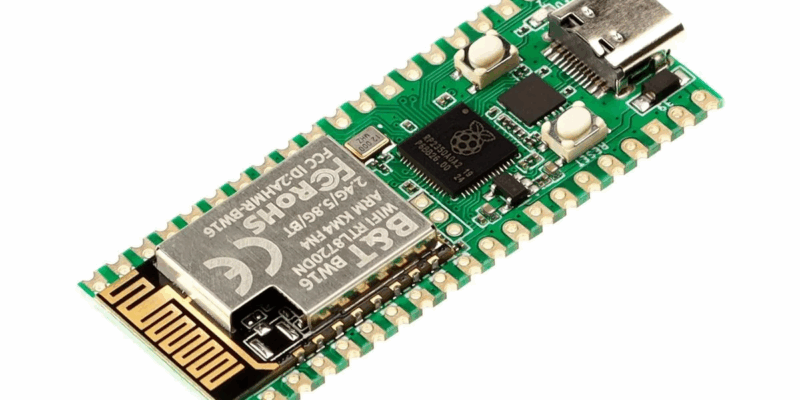
RP2350 Pico W5 review
It’s Raspberry Pi Pico 2, but with a lot more memory
Read more →