MirrorBallBot
By David Crookes. Posted
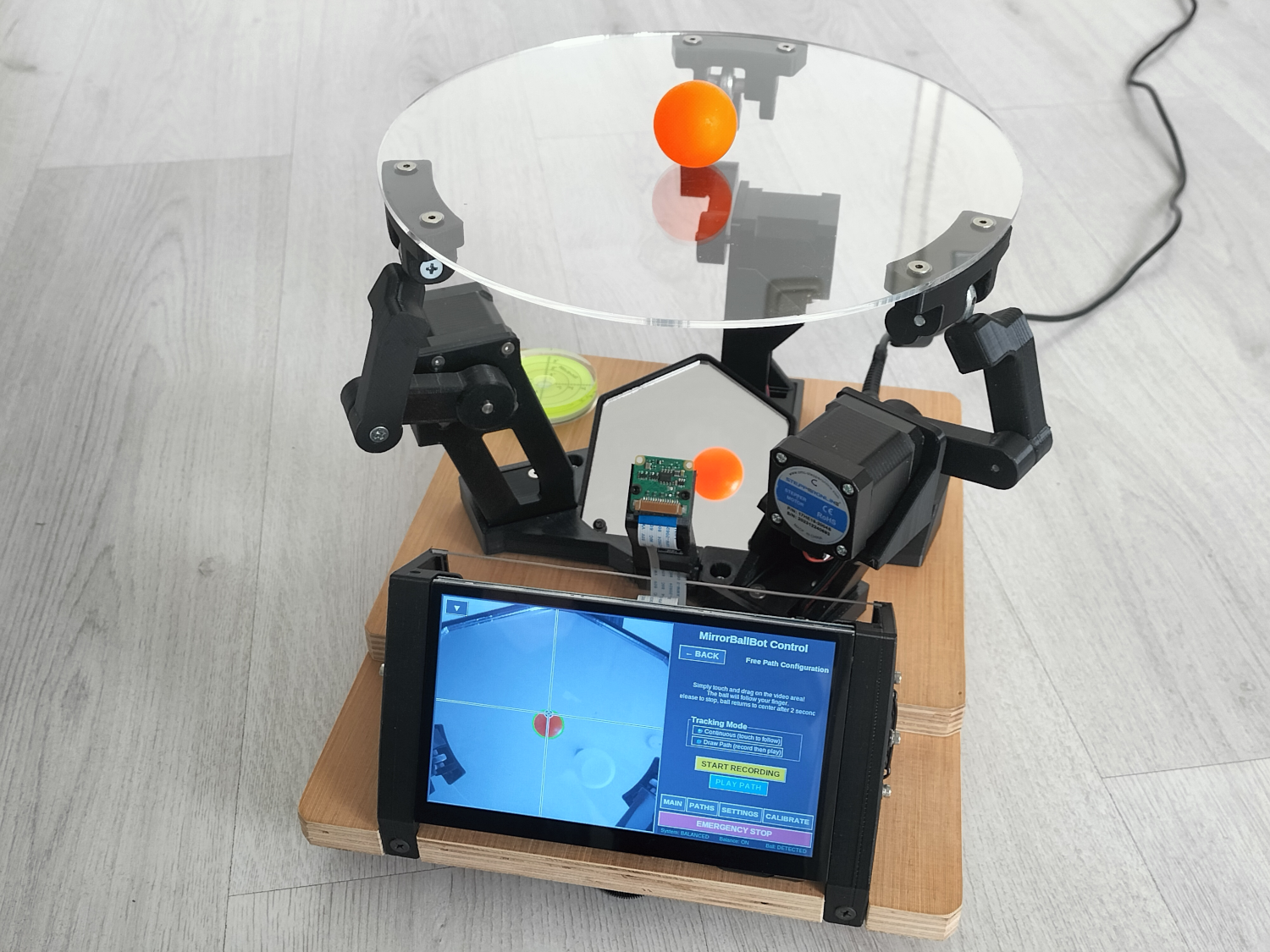
Balance bots never cease to amaze. Their ability to monitor a ball and ensure it remains balanced on a platform demonstrates how robotics can combine sensors, programming, and precise motor control to great effect. One of the best examples we’ve seen has been created by Andrea Favero.
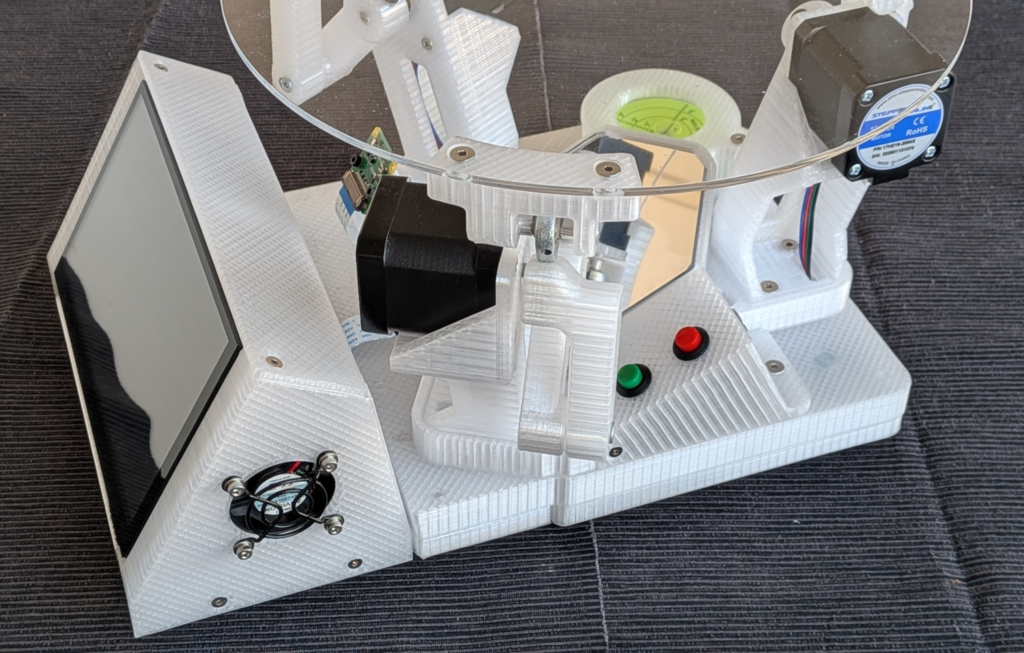
It keeps the machine compact by incorporating a mirror and uses computer vision to track the ball. There’s a large touchscreen, a high-throughput camera, preset path trajectories, automatic setting of the ball colour, photoionization detector (PID) settings, sensorless homing of the steppers, and active cooling. It really is a feat of engineering.
But then Andrea is truly passionate about this project, which is the culmination of a lifelong fascination with the balance skills of street and circus performers. When he visited the ‘Cité des sciences et de l’industrie’ in Paris in 2019 and saw a large inverted pendulum demonstrator, he became motivated to build his own and this ignited his interest even further.
Bouncing ideas
Andrea began his MirrorBallBot project in the summer of 2024. Initially, he wanted to build a ball-balancing robot capable of bouncing a ping-pong ball. “I broke the project into distinct building blocks, forcing myself to focus on one at a time,” he says. “These were camera tracking at high FPS, a stepper motor control, I2C communication, mechanical design, code integration, a graphical user interface (GUI), and finally, the bouncing code.”
He spent six months on the project, but paused for a kitchen renovation. “The project lay dormant for almost a year,” he reveals. “It was only in January 2026 that I restarted, tackling the mechanical design and the integration of the different blocks.”
He dropped the bouncing ambition and concentrated on making a balance bot with a 25 cm platform monitored by a Raspberry Pi Camera Module 3 Wide – but realised this size would require a bigger robot. “I thought a larger 25 cm platform would make it easier to keep the ball from falling off,” he explains. “But this required a tall robot to give the camera a large enough field of view.”
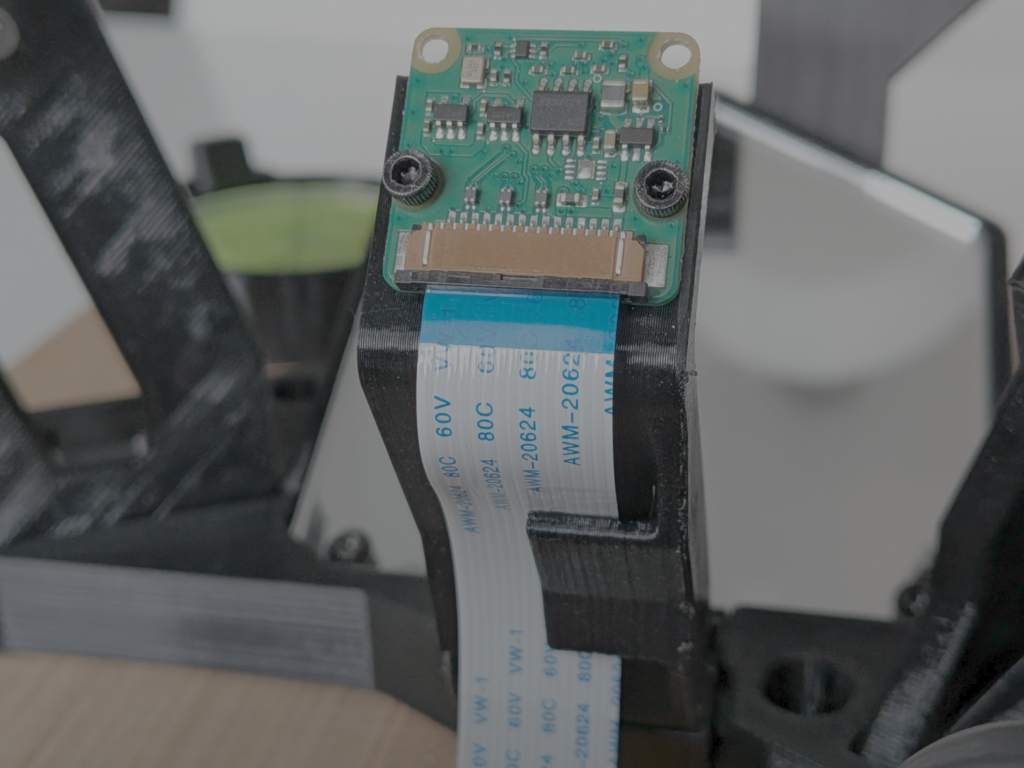
He began to reflect on the problem. “The solution came unexpectedly while looking in a bathroom mirror,” he says. “I noticed I could see my face in perfect focus, but the objects on the shelf below the mirror were out of focus. In that moment, I realised a mirror could increase the camera’s focus distance without making the robot taller, solving the design problem elegantly.”
Creating a robot
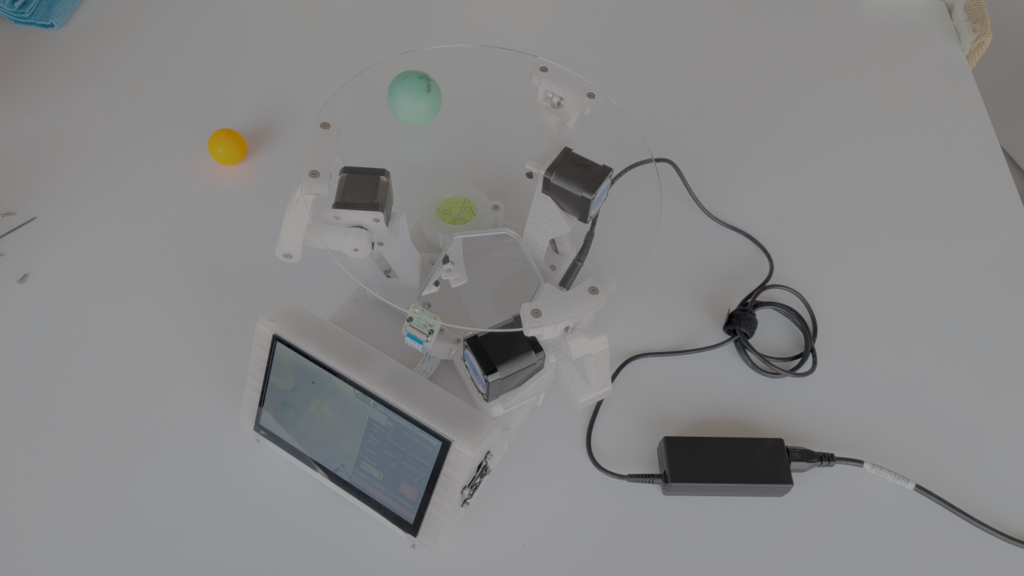
Pointing the camera at the mirror meant it could monitor a 60% wider field of view. This allowed Andrea to get on with creating a compact build, using a Raspberry Pi 4 as the central controller to handle computer vision, PID control, and the inverse kinematics calculations. Waveshare RP2040-Zero mini development boards were used for their small form factor and PIO features, used to generate precise quantities of motor steps at the required speed.
Andrea says he also used NEMA 17 stepper motors for their handling torque and excellent positional repeatability, as well as TMC2209 stepper drivers for silent operation, easy UART control, and StallGuard-based sensorless homing, eliminating the need for physical end-stop switches.
He created a custom PCB via PCBWay to connect three RP2040-Zero boards and three TMC2209 drivers together, eliminating a mess of wires and ensuring reliable connections. Elecrow provided him with a 7-inch DSI touchscreen for the GUI. This enabled another innovative feature: the ability to place a finger on the touchscreen and have the ball follow in real-time. By watching the display, the ball always lands beneath the user’s finger.
Challenging times
There were many challenges. “My goal of high FPS initially failed because the latency was too high, making the robot unresponsive,” he recalls. “Using parallel threading, where one thread captures while another analyses, was necessary but not sufficient. So I drastically reduced latency by setting the camera to manual mode, disabling white balance and HDR, reading directly from the camera buffer (limited to three images), and skipping frames for the display to save resources.”
He also needed to find a way to use the RP2040 as an I2C slave because there was no standard MicroPython library for it. “I adapted a memory-register-based script from the Raspberry Pi forums (credit to danjperron) to create a custom communication protocol,” Andrea adds. “The I2C bus runs reliably at 200kHz, and the connection is so robust that I eventually removed the acknowledgement returns from the Raspberry Pi 4’s code.”
To keep latency low, he split the RP2040’s workload across its two cores. “Core 1 handles all I2C communication, validating packages and placing parsed instructions (direction, speed, steps) into shared memory. Core 0 processes this data and sends commands to the PIO. Access to the shared memory is protected by locked threading,” Andrea explains.
The initial PIO implementation also used two separate state machines communicating via an interrupt. “The interrupt was too slow, causing them to get out of sync and leading to motor step-slipping,” says Andrea. “After minutes of operation, the platform’s position would drift unpredictably. The fix was to combine both state machines into one, sending a single 32-bit word that held two fields. The state machine would split this word internally, eliminating the need for the slow interrupt. The result is a zero-slip system, even after hours of continuous operation.”
Such is Andrea’s attention to detail, that he tackled calibration of the ball colour. “Different lighting conditions – sunny, cloudy, artificial – required different colour ranges for the same ball,” he says. “I wrote a fully automatic calibration function to find the optimal colour range with the push of a (GUI) button. This function is the longest and most complex in the code, taking about 11 seconds to run, but it’s far more consistent than manual tuning.”
Andrea continues to fine-tune the project and he might eventually succeed in making the ball bounce. The project is certainly attracting a lot of attention. “It’s a real-world example of multi-Raspberry Pi communication, high-speed camera vision, and distributed real-time control—all brought together in a DIY hobbyist project,” he says.

Subscribe to Raspberry Pi Official Magazine
Save up to 37% off the cover price and get a FREE Raspberry Pi Pico 2 W with a subscription to Raspberry Pi Official Magazine.
More articles
Digital Displays in Raspberry Pi Official Magazine 170
Some projects seem more like magic to us than anything else; here’s one of them. This robot by Italian engineer/magician Andrea Favero uses a mirror to widen the field of vision of a Raspberry Pi Camera Module 3, the input from which is processed by Raspberry Pi 4 and used to control three legs to […]
Read more →
Win a Development Kit for Compute Module 5
Make CM5 development easier with our competition
Read more →
Raspberry Pi Official Annual 2027 is out now!
New name, same fantastic content
Read more →