Hologram Nova review
By Rob Zwetsloot. Posted

Connecting a Raspberry Pi to a mobile network anywhere in the world is something Rob Zwetsloot is very interested in
In past issues we’ve talked about ‘mobile’ Raspberry Pi devices a few times in various contexts. However, one of the concerns with creating a truly mobile Raspberry Pi project is giving your Pi an internet connection wherever you go.
You could always hack about with a mobile hotspot on your phone, but cellular modems have always been an alternative. The Nova is one of the first made specifically with Raspberry Pis in mind, and it works really well.
The Nova itself is a very simple device. It’s a USB dongle that you can slot a SIM card into (supplied with the Nova) and then plug into your Raspberry Pi. You can disassemble it to access the SIM card slot and swap between two included antennas depending on how much space you have and the strength of the signal where you’re planning to use it.
Software & subscriptions
The Nova isn’t just plug-and-play, though – you won’t be able to just use it like a WiFi dongle on a Raspberry Pi. Luckily, you only need to install one bit of software which is available online (Hologram recommends you have a pre-existing network connection to set up your Nova before using it) to get yourself connected, with another piece of software required to use the SMS features.
While getting your Raspberry Pi to connect to a mobile network through the Nova is easy and quick, it doesn’t mean you’ll then have instant internet access. For that, you need to set up a subscription to Hologram’s data plan.
It’s easy enough to activate your SIM card on there. You just create an account, put in your SIM card’s serial number, and select from a few data plan options. By default, you can select from a couple of pay‑as-you-go options that charge you by the megabyte (and SMS), with differences in price depending on what countries you’d like the Nova to work in.
There’s also a monthly contract plan, but it’s currently only available to people in the US.
Pricing and regions
The cost of Nova is fairly cheap at $0.60 (£0.43) per megabyte for most of the world, along with $0.19 (£0.14) for each SMS. While it would be pretty expensive to use it to stream YouTube videos on the go, that’s not really what it’s meant for – it’s more for quick data uploads and location pings for more advanced projects. Even for photos it’s not too bad, especially as you can tweak the size and quality of photos taken by the Raspberry Pi Camera Module to keep the file size (and therefore upload price) fairly fixed and within a project’s budget.

You can upgrade the plan from ‘most of the world’ (Zone 1) to ‘almost all of the world’ (Zone 2), which notably includes Canada among other countries. The price bump is about 33%, going from $0.60 to $0.80 (£0.58) per megabyte and up to $0.30 (£0.22) for a text. It’s not huge but depending on the amount of data you’re planning to use, it can be a significant jump. It also mostly affects less developed countries, although it’s unlikely this would be their first port of call for internet access.
With the contract, you can save a lot of money on Zone 1 data (100MB for $15/£11) and some money on Zone 2 (100MB for $60/£43), although the price of SMS texts remain the same. Again, you need to be in the US to get the contract, but it’s well worth it for the Zone 1 savings.
Usage and connection
While we weren’t able to test it in every country, in the UK and the US we’ve found that the Nova works great. Focusing on sending small packets or limited file sizes of data is the way to go, although you’re sometimes at the mercy of the mobile signal so we recommend making sure you check signal strength before deploying.
It’s frankly a wonderful little product, and although it may be aimed more at a developer/business market, it ticks the right boxes for those specific uses.
Last word
5/5
The Nova is a great addition to the line-up of Raspberry Pi accessories that can really help improve some of your mobile projects.

Rob is amazing. He’s also the Features Editor of Raspberry Pi Official Magazine, a hobbyist maker, cosplayer, comic book writer, and extremely modest.
Subscribe to Raspberry Pi Official Magazine
Save up to 37% off the cover price and get a FREE Raspberry Pi Pico 2 W with a subscription to Raspberry Pi Official Magazine.
More articles

oDuckberry
A novelty alarm clock has been turned into something ‘pro-duck-tive’
Read more →
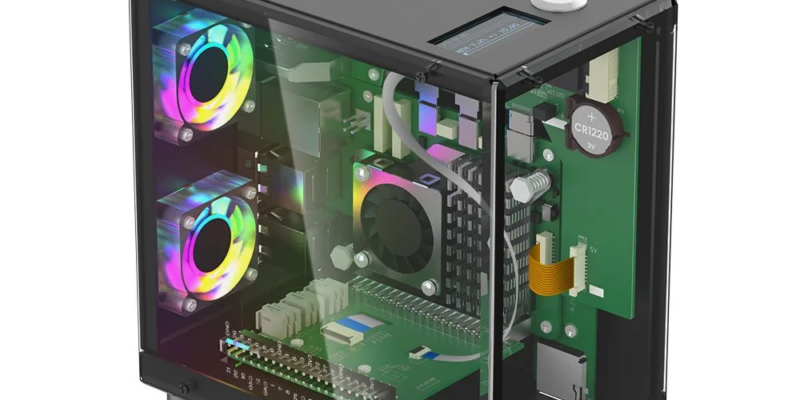
Review – Pitower Gen 1 case
It seems quite popular now for folks to make their Raspberry Pi look like a diminutive desktop PC. The Pitower Gen 1 from Elecrow manages to do that while also making sure you can still use your Raspberry Pi as, well, a Raspberry Pi. Construction is fairly simple if lengthy – it took the better […]
Read more →
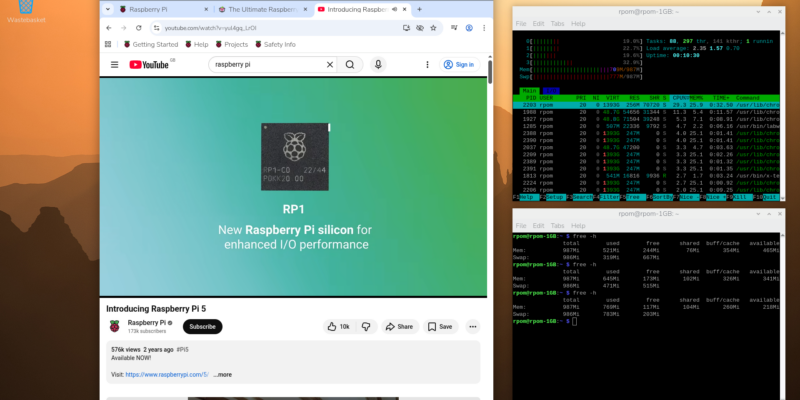
Make your RAM go further – Raspberry Pi OS memory optimisation tips
In issue 164 of Raspberry Pi Official Magazine we have been playing around with the new Raspberry Pi 5 1GB RAM. While the RAM shortage caused by the demands of AI infrastructure is annoying beyond belief, this has been a great chance for us to really get to grips with RAM. Generating images in Stable […]
Read more →