Prusa SL1S SPEED review
By Alex Bate. Posted
This article was originally published as part of HackSpace magazine, which has since been incorporated into Raspberry Pi Official Magazine.
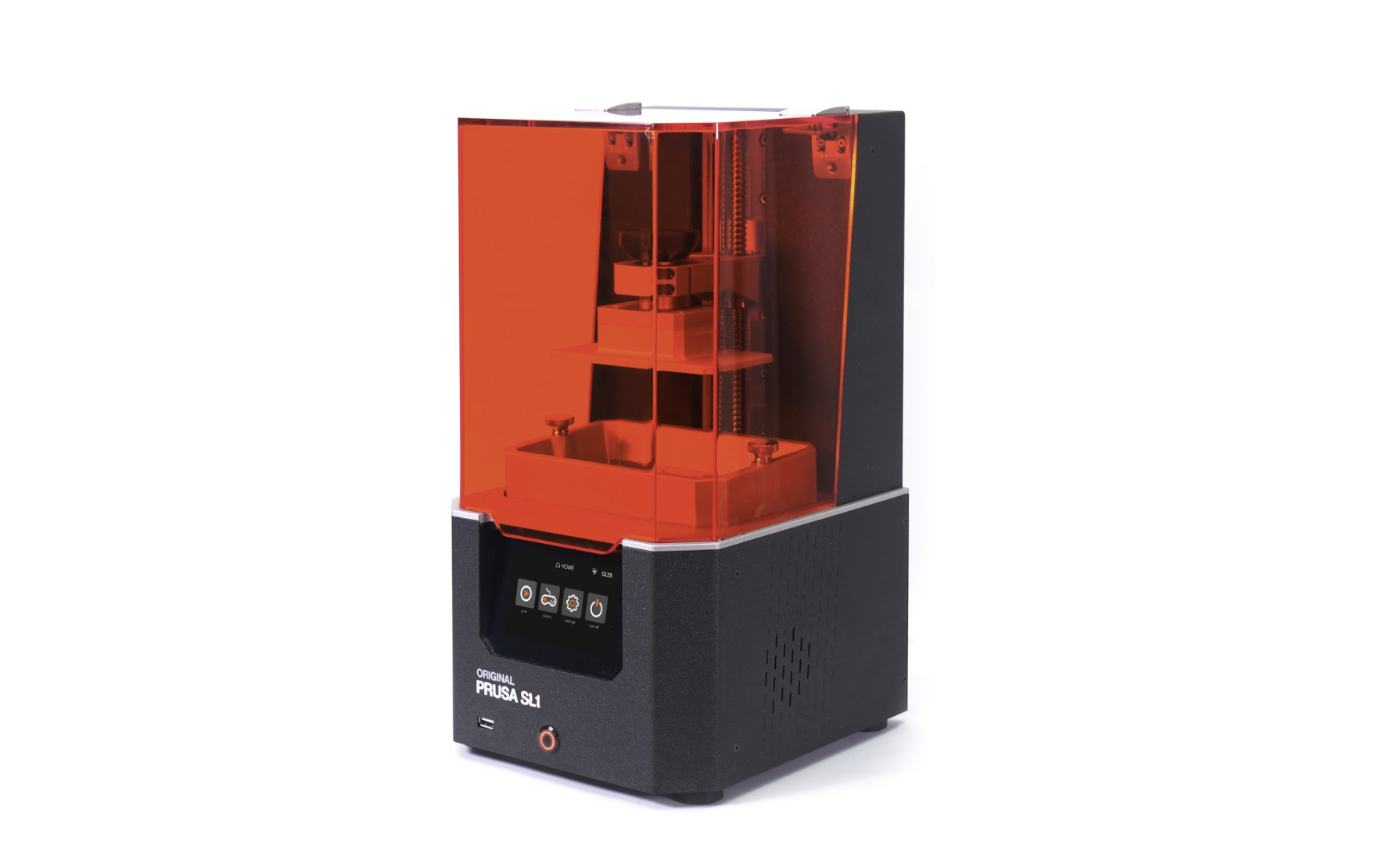
The latest in Prusa’s venture into resin printing, the SL1S SPEED promises high-resolution prints and an unprecedented level of detail, at a whopping three times faster speed than its predecessor, the Prusa SL1. But does it live up to the hype and, more importantly, the £1679 price point?
“Resin printing is messy and expensive.” For years, this is what you’d hear in makerspaces, convention halls, and online forums, as those new to the world of 3D printing questioned whether to invest in a hot plastic or resin printer. On the whole, the argument was valid. Before the days of wash and cure machines, resin printing required a lot of space, time, and patience – not to mention the piles of isopropyl alcohol-filled Tupperware – just to produce anything clean and non-toxic.

Heaps of resin-stained rubber gloves, surrounded by snips, paper towels, and hacked UV curing solutions, littered workbenches and kitchen tables as enthusiastic users reached to open yet another window for ventilation.
Why would anyone want that when the alternative FDM printer was so neat and tidy in comparison?
But that was then, and this is now, and with the invention of wash and cure machines, fume filters, and tidy desktop enclosures, resin printing has come a long way.

Out of the box, the Prusa SL1S SPEED is a weighty, compact piece of kit with a hard plastic shell and aluminium base that Prusa promises will absorb vibrations for better performance.
Setting up is a breeze as the touchscreen guides you through the process, including collaboration, with the help of clear on-screen instructions and images.
Anyone with prior 3D printing knowledge will no doubt know their way around a number of slicing apps, such as Cura and Simplify3D, and will find the transition to resin printing fairly straightforward. For the rest of you, PrusaSlicer, Prusa’s open-source tool, is your go-to for prepping your models for printing, and the Prusa YouTube channel, alongside the included beginner’s manual, will help you through the process.

Speed: it’s in the name so let’s talk about it. Prusa promises 1.4 seconds exposure time per layer. Around 2 to 3 seconds per layer is more common for desktop resin printers, so the SL1S gives a significant speed boost here.
Whether you’re printing one model or multiple, so long as you can fit them all on the 127×80×150 mm build volume, your output time doesn’t change. Unlike an FDM, where multiple models equal increased print times, resin printers excel at producing prints in mass. To give you an idea of how this speed-up works – compared to the Ender 5 Pro at its highest settings, the SL1S took an hour less to print one Benchy, and nine hours less to print four. Now, why you’d want four Benchys is up to you; we won’t judge.
But what also came to light during this process was just how easy it was to plug and go with the SL1S. No configuration, no tweaking of settings, we simply pressed a button and off it went, unlike the Ender that took two attempts to get the adhesion down, and another two to unkink some cheap filament.
Need for speed?
Resin printing has always outranked FDM when it comes to print detail. It’s one of the reasons we’ve seen a mass increase in resin printer consumption by the model-making and mini-printing communities. FDM simply cannot compete when printing at such a small scale with intricate parts. The SL1S produces highly detailed parts, but so do significantly cheaper competitors.
So, should you spend £1679 on an SLS1 SPEED printer?
Ultimately, and unsurprisingly given the name, it comes down to time. The Prusa prints fast, but it’s also quick to set up, easy to use, and – in our tests at least – reliable. All these things save you time which, as any Instagram Business ‘Guru’ will tell you, is money. How much time you save and how much this is worth to you depends on what you want to print and your own personal circumstances.
If you want minimal-hassle desktop resin printing, then this is a great choice, but it comes with a hefty price tag.
Verdict
9/10
For quality, speed, and ease of use, the SL1S leads the pack, but price is an issue.
Price

Subscribe to Raspberry Pi Official Magazine
Save up to 37% off the cover price and get a FREE Raspberry Pi Pico 2 W with a subscription to Raspberry Pi Official Magazine.
More articles

MirrorBallBot
This trick uses no smoke but it does use mirrors
Read more →

Digital Displays in Raspberry Pi Official Magazine 170
Some projects seem more like magic to us than anything else; here’s one of them. This robot by Italian engineer/magician Andrea Favero uses a mirror to widen the field of vision of a Raspberry Pi Camera Module 3, the input from which is processed by Raspberry Pi 4 and used to control three legs to […]
Read more →

Win a Development Kit for Compute Module 5
Make CM5 development easier with our competition
Read more →