REVIEW: QT Py ESP32 S2
By Ben Everard. Posted
This article was originally published as part of HackSpace magazine, which has since been incorporated into Raspberry Pi Official Magazine.

ESP-based microcontrollers from Espressif have, more or less, defined the DIY IoT scene for longer than HackSpace magazine has been around. ‘Stick an ESP on it’ has been a standard phrase for adding internet connectivity to a device. While the classic ESP32 devices aren’t really difficult to use, they’re not as easy as some other microcontrollers that have drag-and-drop programming with CircuitPython. This changed a couple of years ago with the introduction of the ESP32-S2 ($9.95) which lacked some features of the original, but added native USB support that allowed easy programming.
Advertisement
Get started with Raspberry Pi – everything you need to know to start your journey!
Essentially, this means that in ESP32-class devices, at the moment, there’s a trade-off. The original is more powerful and has both WiFi and Bluetooth, but is slightly more complex to program. The S2 is less powerful and only has WiFi, but is easier to program. Given that the ESP32 is a powerful processor anyway, for most purposes, we haven’t been limited by the processing power. Bluetooth is another of those things that is completely unused most of the time, but is occasionally really useful.
The QT Py series of boards from Adafruit bring popular processors into a very small form factor (it’s compatible with Seeed Studio’s XIAO). This time, it’s the turn of the ESP32-S2 to get the QT Py treatment. Despite its teeny size, there are eleven GPIOs (plus an additional two on the STEMMA QT connector). Ten of these are 12-bit analogue inputs, and one is an 8-bit analogue output. There’s hardware I2C, SPI, and UART, and capacitive touch. All in all, there’s a lot of connectivity for such a small device, and we haven’t even got to WiFi yet.

Jamming so much onto such a small device does mean that there are some trade-offs. There are no mounting holes, so attaching it to your project means either soldering down or a blob of hot glue. Although the pads are castellated, there are components on the bottom of the PCB, so it’s not easy to surface-mount it. The power connections (other than USB) are pads on the bottom of the PCB. This means you have to ‘surface-mount’ any wires if you want an additional power connection. It’s not a particularly difficult solder connection, but it’s a little more tricky than soldering wires through-hole. For many projects, none of these will be particularly limiting, but it’s worth being aware of them.
In use, the QT Py behaves much like any other ESP32-S2 board. You can drag and drop code and libraries onto a USB device created when you plug it in, and it’s compatible with a huge range of libraries. You can also program this with the Arduino IDE if you prefer. The two things that really make the QT Py stand out against other ESP32-S2 boards are size and price. At $12.95 (or $9.95 if you want the option with an external aerial), it’s one of the cheapest ways of getting this particular microcontroller.
Whippersnapper
The native USB feature of the ESP32-S2 makes it much easier for beginners to get started. If you’re a veteran microcontroller user, you may now barely think about the differences between native USB and using a serial-to-USB setup. However, when getting started for the first time, it’s the difference between just needing to install a text editor and needing to install drivers, an IDE (or some uploading software) working out which serial port is in use (maybe working out what serial ports are in the first place), and a myriad of debugging steps that can put new users off.
We often think of a microcontroller’s functionality in terms of technical features, but there are a whole host of non-technical features that often define success – documentation, ease of use, price. After all, if you can’t get the thing working, it’s irrelevant whether or not it’s technically possible for it to perform its task. The exact importance of the different levels of these ‘soft’ features varies hugely from one maker to another. The QT Py ESP32-S2 has brought down the lower bar for cost (it’s about half the cost of other CircuitPython-compatible ESP32-S2 boards), while retaining ease of use, enabling a whole new segment of makers to ‘stick an ESP on it’.
Verdict
10/10
All the power and ease of use we’ve come to expect in ESP32-S2 boards made tiny and cheap.

Ben is the Editor of HackSpace magazine. When not wrangling words, he enjoys cycling, gardening, and attempting to identify wild mushrooms.
Subscribe to Raspberry Pi Official Magazine
Save up to 37% off the cover price and get a FREE Raspberry Pi Pico 2 W with a subscription to Raspberry Pi Official Magazine.
More articles
Get started with Raspberry Pi in Raspberry Pi Official Magazine 161
There’s loads going on in this issue: first of all, how about using a capacitive touch board and Raspberry Pi 5 to turn a quilt into an input device? Nicola King shows you how. If you’re more into sawing and drilling than needlework, Jo Hinchliffe has built an underwater rover out of plastic piping and […]
Read more →

Win one of three DreamHAT+ radars!
That’s right, an actual working radar for your Raspberry Pi. We reviewed it a few months ago and have since been amazed at some of the projects that have used it, like last month’s motion sensor from the movie Aliens. Sound good? Well we have a few to give away, and you can enter below. […]
Read more →
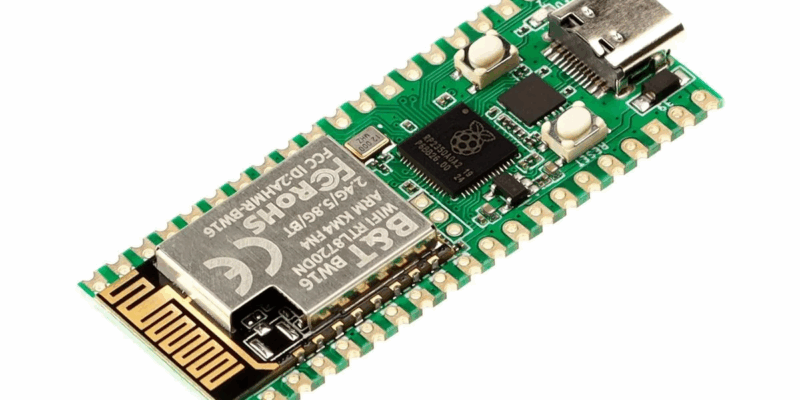
RP2350 Pico W5 review
It’s Raspberry Pi Pico 2, but with a lot more memory
Read more →