Vivaldi Web browser released for Raspberry Pi
By Russell Barnes. Posted

Vivaldi has released an experimental build of its web browser for Raspberry Pi.
The new web browsers offers a range of quirky and interesting features, such as tab grouping and screenshot capturing.
More helpful, for Raspberry Pi users, is the ability to fine-tune performance by turning off support for features such as animated gifs; or by forcing pages to load in a clutter-free 'reader' environment.
Ruarí Ødegaard on the Vivaldi team blog writes:
We started making these builds primarily for ourselves, as part of our work towards Vivaldi mobile and to allow us to try out Vivaldi on various ARM devices that the team already own (or intend to buy).
I have a Raspberry Pi plugged into my TV. This allows me to use my TV as another device for browsing. While high-end TVs increasingly have a browser built in, it is cheaper to add a Raspberry Pi to the setup – and those browsers tend to be limited, compared to a full-featured desktop browser like Vivaldi

Install Vivaldi web browser on a Raspberry Pi
You can install Vivaldi on a Raspberry Pi using the following command.
cd Downloads/
wget https://downloads.vivaldi.com/stable/vivaldi-stable_1.13.1008.34-1_armhf.deb
sudo apt install vivaldi-stable1.13.1008.34-1armhf.deb
Or visit the Vivaldi blog in Chromium and click the blue Download Vivaldi for Linux ARM button. Double-click the deb file in your Downloads folder to install it.
After installation, you will find the web browser in Menu > Internet > Vivaldi.

What features does Vivaldi on a Raspberry Pi offer?
According to the Vivaldi website, the browser offers the following features over regular web browsers:
- Advanced tab management – ability to group, tile, move and pin tabs.
- Side Panel with easy access to bookmarks, downloads, a “tree-style” access to tabs, notes, browsing history and websites of users’ choice.
- Built-in functionality such as the screenshot Capture tool, Notes and Image Properties.
- Powerful History overview that lets users explore their browsing patterns, backed by statistics and visual clues.
- Unique and customizable look and feel of the browser interface with custom Themes and more.
- Keyboard Shortcuts and Mouse Gestures for quick browser commands.
“We are excited to unveil Vivaldi for the popular development board Raspberry Pi and other Linux based ARM devices. Enthusiastic Raspberry Pi users who are looking for a more feature-rich and flexible browser, will find Vivaldi a thrilling experience,” says Jon von Tetzchner, CEO at Vivaldi Technologies.

Russell runs Raspberry Pi Press, which includes The MagPi, Hello World, HackSpace magazine, and book projects. He’s a massive sci-fi bore.
Subscribe to Raspberry Pi Official Magazine
Save up to 37% off the cover price and get a FREE Raspberry Pi Pico 2 W with a subscription to Raspberry Pi Official Magazine.
More articles
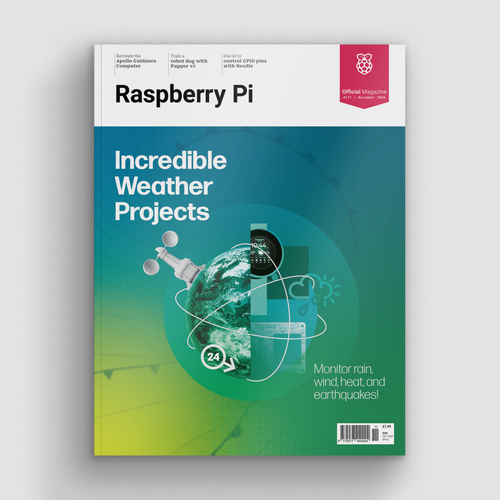
Incredible Weather Projects in Raspberry Pi Official Magazine issue 171
If the planet gets too hot/too cold/too drizzly for human habitation, we’ll probably want to leave Earth in search of a better one. That means we’ll need a flight computer, and maker Michael Newton is one step ahead: he’s built a replica of the DSKY (display keyboard) interface from the Apollo Guidance Computer. Now you […]
Read more →
Win one of five Sense HAT bundles
Get a Sense HAT add-on and book in our latest competition
Read more →

Red Raven cyberdeck
Powered by drills
Read more →