Banamera AI camera
By Andrew Gregory. Posted
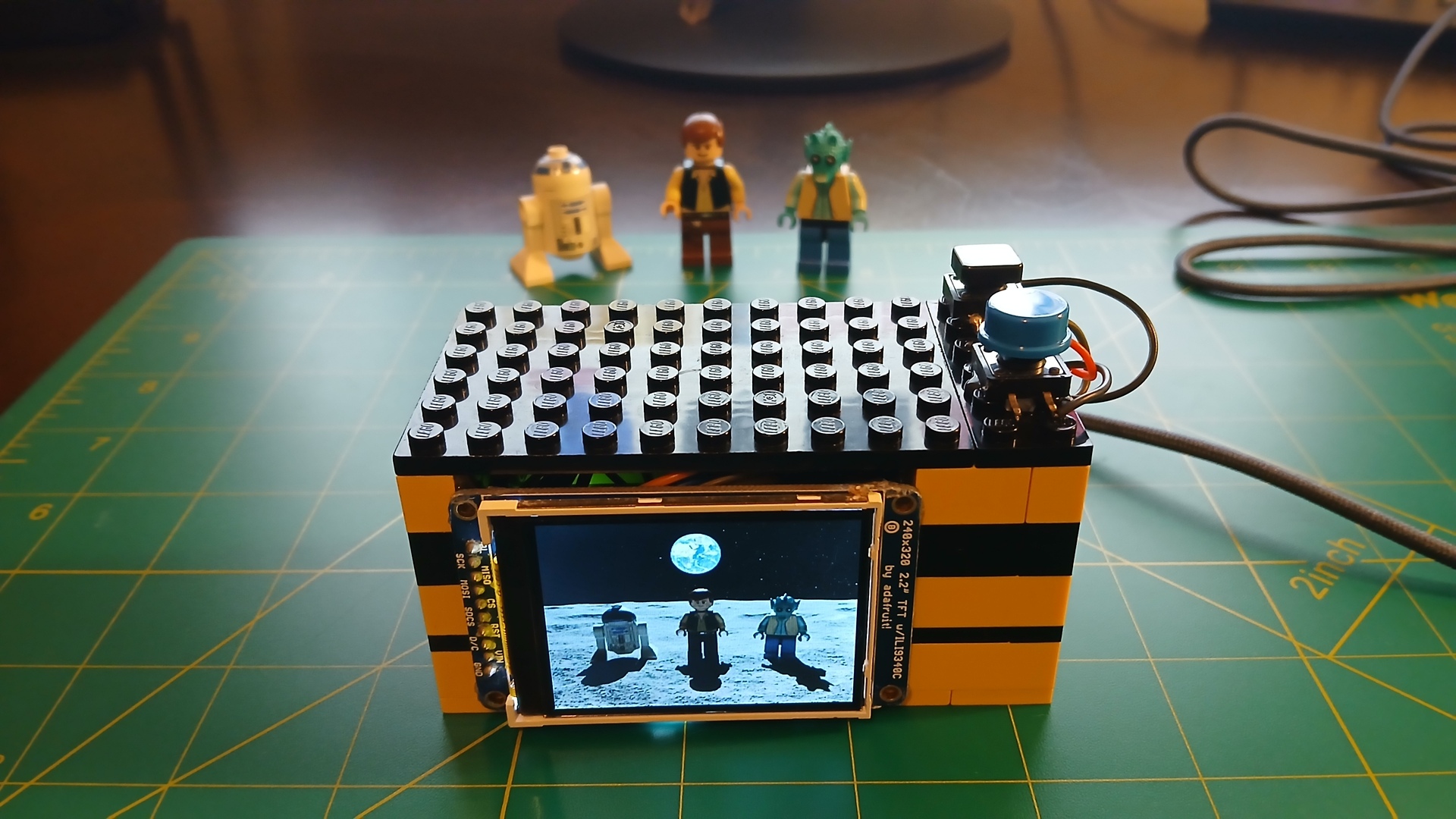
Despite the constant errors in AI generated images, the software behind AI is getting better all the time. Actually, that’s wrong – it’s not despite the errors, it’s because of the errors. AI isn’t actually intelligent; it’s just recognising patterns. More data equals better results.

One of the more recent image editors is Google’s Nano Banana, the abilities of which have pleasantly surprised maker Nick Bild. And in true maker fashion, Nick has designed and built his own machine to take the best of Nano Banana and improve it.
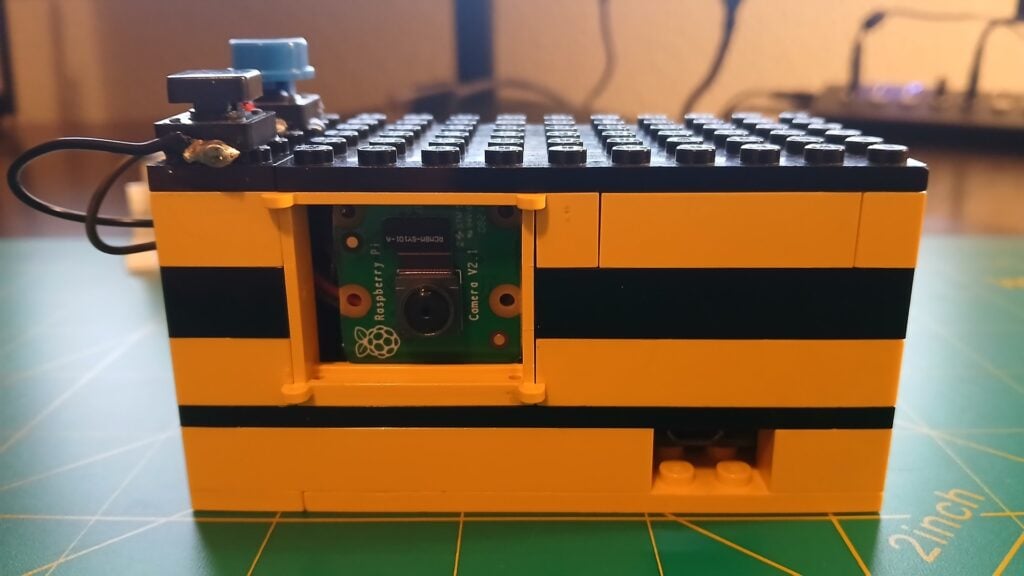
The problem that this build solves is Nano Banana’s clunky interface. In Nick’s own words, “the web interface is less than ideal. Upload an image. Type out a request. Wait. Download the result. Repeat for each image.” Banamera streamlines this process. It uses a Raspberry Pi Zero 2 W with a Camera Module 2 and a 2.2-inch LCD screen to show the images. But there’s also an Adafruit I2S MEMS microphone that enables the user to speak editing instructions, which are turned into text and forwarded to the Nano Banana API. The results appear on the screen within seconds.

Features Editor Andrew trawls the internet for Cool Stuff while keeping the magazine running smoothly.
Subscribe to Raspberry Pi Official Magazine
Save up to 37% off the cover price and get a FREE Raspberry Pi Pico 2 W with a subscription to Raspberry Pi Official Magazine.
More articles
Retro gaming in Raspberry Pi Official Magazine 169
Retro gaming on Raspberry Pi: a chance to relive the games of your youth. Or if you’re too young to remember the Nintendo Entertainment System, Sega Mega Drive and Amiga, relive the games of someone else’s youth instead. Maybe games aren’t your thing; maybe you’d rather settle down and write for hours, coming up for […]
Read more →
Win a brand new 10-inch Touch Display 2
Our latest competition for the latest display
Read more →
Claw stand
Hold our coffee
Read more →