CNC Etch A Sketch
By Poppy Mosbacher. Posted
This article was originally published as part of HackSpace magazine, which has since been incorporated into Raspberry Pi Official Magazine.
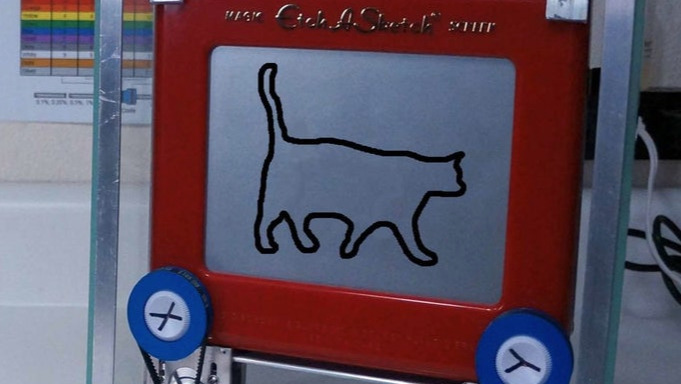
Quint, an engineer from Orgegon, has managed to create a video effect on an Etch A Sketch using stop motion animation. “I got a video of a cat walking in front of a wall and grabbed screen shots I could trace in Fusion 360,” says Quint. The images were then converted into the machine language, G-code, so it could be drawn automatically on the Etch a Sketch. “It took a few iterations but I'm really happy with the result.”

It uses a Raspberry Pi running b-CNC. This controls 2 stepper motors connected to pulleys which turns the Etch A Sketch knobs.
If you’d like to make your own, instructions are available here.

Poppy is a maker and writer. She loves getting tech into the hands of people who do traditional crafts. She is helping set up a makerspace in Devon and was a director of BuildBrighton makerspace.
Subscribe to Raspberry Pi Official Magazine
Save up to 37% off the cover price and get a FREE Raspberry Pi Pico 2 W with a subscription to Raspberry Pi Official Magazine.
More articles

Raspberry Pi Official Annual 2027 is out now!
New name, same fantastic content
Read more →

Robot arm lamp
This won’t be jumping on any animation studio logos
Read more →

Sage Cadence interview
An electrical engineering student trying to provide the educational content she would have wanted
Read more →