Inky Frame 4.0″ (Pico W Aboard) review
By Phil King. Posted
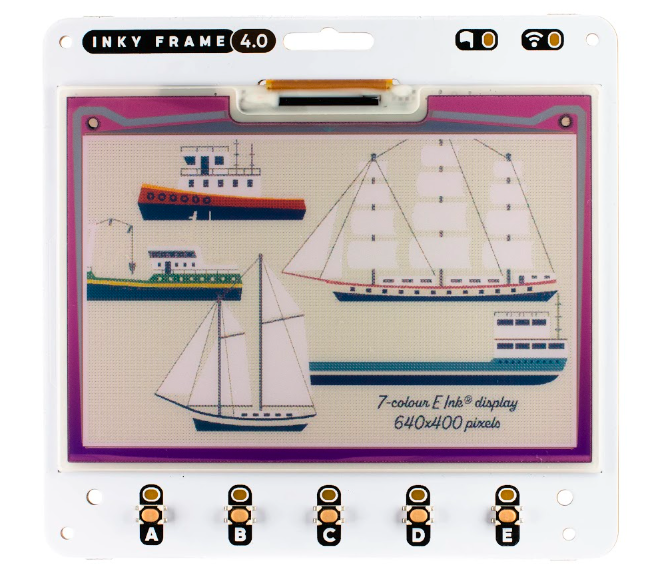
The latest in Pimoroni’s Inky range of e-ink screens, the Inky Frame 4.0” (£70 / $71) features a 4-inch, 640×400, seven-colour display that offers superb detail. The board is based around a Raspberry Pico W pre-soldered to the rear. As well as giving it Wi-Fi connectivity, this increases portability when used with a battery pack.
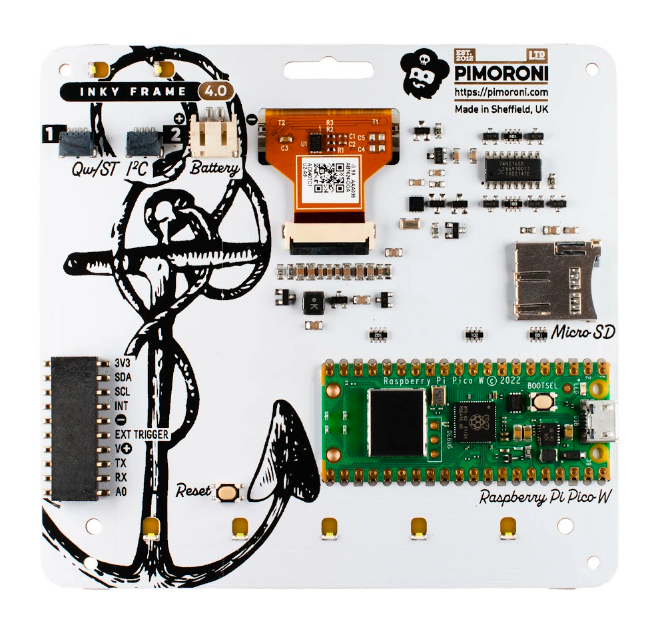
Also on the rear, there’s a handy reset button, microSD card slot (for extra storage), two Qwiic/STEMMA QT ports, a JST-PH battery connector, and an extension header (including six GPIOs).
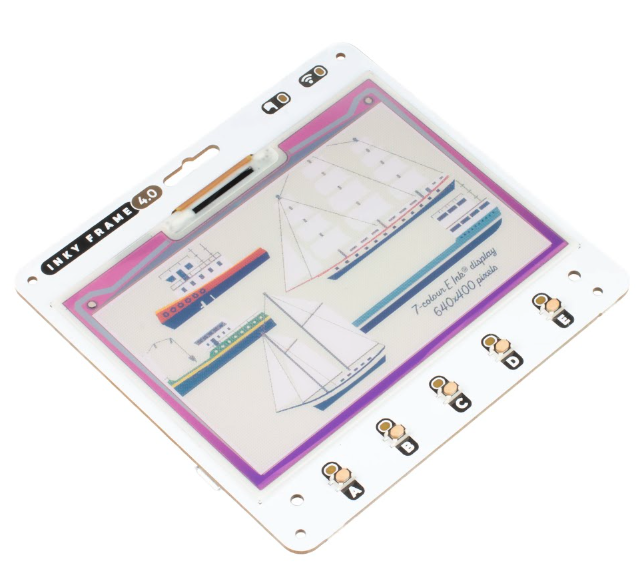
Five user buttons are located on the front, each with an LED, with two more LEDs at the top to indicate activity and wireless connection. Two metal legs (supplied) can be used to stand up the board.
Refreshing stuff
The Inky Frame comes preloaded with Pimoroni’s brand of MicroPython firmware, including the PicoGraphics display library and several code examples. As soon as you connect it to a computer via USB, it’ll start a screen refresh which takes 25–30 seconds – typical for this kind of multicolour e-ink display.
By default, it auto-runs a launcher menu with five example programs. However, to run them you’ll first need to stop the launcher in Thonny and create a secrets.py file with your Wi-Fi credentials (see Pimoroni’s Getting Started guide).
An optional accessories pack adds a 3×AA battery pack (with batteries), Velcro square to attach it to back of board, 16GB microSD card, and micro USB to USB cable. You could use a LiPo battery instead, but the board can’t charge it. Still, it uses a small amount of power while refreshing, and can even be put into a super deep sleep mode with Pico W shut down – and reawakened by the real-time clock, buttons, or a trigger pin on the extension header.
Verdict
9/10
A classy colour e-ink display whose Wi-Fi connectivity greatly extends its possible uses, including as a digital photo/art frame, life organiser, or low-power smart home dashboard.
Specs
Display: 4.01-inch e-ink, 640×400, seven colours Features: Pico W, 5 × user buttons, reset button, LEDs, microSD card slot, breakout header, 2 × Qwiic/STEMMA QT ports, 2 × metal legs Dimensions: 102.8 × 96.7 mm

When not editing books and contributing to The MagPi, Phil enjoys playing the piano (badly), astronomy, and watching classic sitcoms.
Subscribe to Raspberry Pi Official Magazine
Save up to 37% off the cover price and get a FREE Raspberry Pi Pico 2 W with a subscription to Raspberry Pi Official Magazine.
More articles

Liverpool MakeFest 2026 report
The UK’s largest free maker event celebrates creativity, arts, science, and technology
Read more →
D&D Book
A near magical book with ever-changing pages.
Read more →
Incredible Weather Projects in Raspberry Pi Official Magazine issue 171
If the planet gets too hot/too cold/too drizzly for human habitation, we’ll probably want to leave Earth in search of a better one. That means we’ll need a flight computer, and maker Michael Newton is one step ahead: he’s built a replica of the DSKY (display keyboard) interface from the Apollo Guidance Computer. Now you […]
Read more →