Learning by making
By Lucy Hattersley. Posted

I'm currently in the process of building a Pikon Camera. This is a homemade digital camera with a 3D-printed case, LCD screen, battery and – of course – Raspberry Pi.
So far, I’ve created the 3D-printed case in two options: one for Camera Module 3 and one for High Quality Camera, and I’ve assembled all the parts. It charges and powers up well. To a mother, all children are beautiful, but I’ll be the first to admit my lovely camera is a little wonky.
The software side of things is a bit of a struggle at the moment as well. The 3.5-inch WaveShare screen has a resolution of just 480 × 320. This is fine as a preview window, of course, but it’s smaller than the default preview window used by libcamera, and the two are stubbornly refusing to work together.
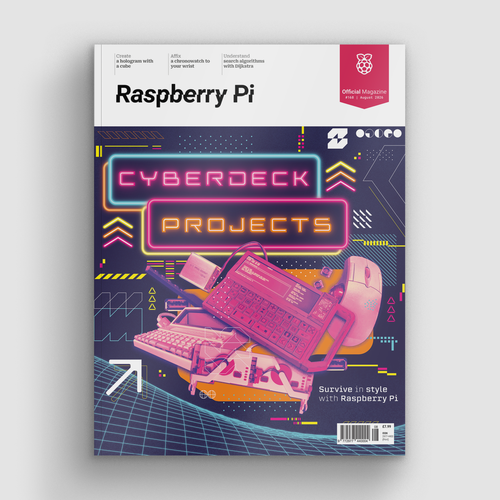
Cyberdeck projects – survive in style with Raspberry Pi!
Still, that just means I need to dig down into the documentation, and read the manual. I tried using Bard and ChatGPT to create working code, but it was all out-of-date or simply incorrect. I’m enjoying hacking through it all.
In the meantime, I’ve got it up and running with a direct Ethernet connection. This is handy, as I helped take some photos of Babbage (the Raspberry Pi mascot) for Part 5 of our Camera Module tutorial (issue 133, page 54).
On the whole, I’m pretty happy with how my little camera is coming along. Even if it looks a bit shonky and doesn’t fully work yet. That’s not always the point. Making my own camera is a fun project, but it’s also an important learning experience. You never quite learn as much as when making. I’ve learned more about the Raspberry Pi Camera Module and integration with Python and the picamera2 library, Raspberry Pi power requirements, and the windowing system over the last few weeks than I ever would just reading the documentation. Making remains quite humbling.
Live and learn
Another feature that really interested me this month is Work & Learn with Raspberry Pi (page 64). Raspberry Pi is increasingly becoming my go-to work computer, and I bought a 60% mechanical keyboard to keep my desk tidy and type better with Raspberry Pi.
It’s always interesting to me that Raspberry Pi was designed as a computer for making and hacking, but is increasingly useful for everyday computing tasks. It’s a perfect little Linux machine for doing the regular task of writing, editing, and commissioning all the other great people who work on this magazine. Of course, it helps that a lot of my work involves writing about Raspberry Pi, so doing that with Raspberry Pi feels nicely circular.
Learning has always been a fairly central part of my life. It’s always felt important to me to be developing myself. Sometimes it’s just personal development; sometimes on a professional front. But, as long as I end the day having a little more nounce than before, I can go to sleep happy.

Lucy is Editor of Raspberry Pi Official Magazine.
Subscribe to Raspberry Pi Official Magazine
Save up to 37% off the cover price and get a FREE Raspberry Pi Pico 2 W with a subscription to Raspberry Pi Official Magazine.