Pianola – self-playing piano
By Russell Barnes. Posted

When one maker’s self-playing piano failed, he used a Raspberry Pi to repair it… and made it his pianola play even better than before

"I’ve always wanted an pianola,” says Lloyd Bayley, the owner of this rather fantastic Yamaha Disklavier self-playing piano.
Pianolas may look like regular instruments, but they don’t just make the sound of a piano. They also move the keys all by themselves.
Self-playing pianos have a long and distinguished history. “I was around the old paper roll, bellows-driven ones when I was a child,” Lloyd reminisces, “and I found them fascinating. I found this one at a Sydney piano shop and went to visit them for a demonstration and decided to buy it on the spot… I’m still enjoying it after almost three years.”
The full article can be found in The MagPi 51 and was written by Phil King.
Pianolas are spectacular to watch. Classic versions were controlled by reams of paper with holes punched into them. You can see self-playing pianos in classic movies (particularly westerns and comedies). Modern pianolas have replaced the paper rolls with floppy disks and MIDI files.
“The piano itself doesn’t store songs,” explains Lloyd, “as it has no on-board memory. Everything must be loaded via floppy drive or via the MIDI ports.”
The electronic system uses programming to fire solenoids, “which are a bit like a little finger that prods the hammers to strike the strings,” says Lloyd. “The strike force can be varied, and they are thus able to play loud and soft notes with ease.”
Lloyd’s Yamaha Disklavier eventually suffered a hardware fault. The 3.5-inch floppy drive, which was used to load the music files, stopped working. Rather than pay for an expensive replacement from Yamaha, he chose to use a Raspberry Pi with a touchscreen display instead.
The Raspberry Pi attaches to the back of the touchscreen with pre-installed mounting accessories. “To connect it to the pianola, I used a USB-to-MIDI converter cable and was a little surprised to find it was that simple.”
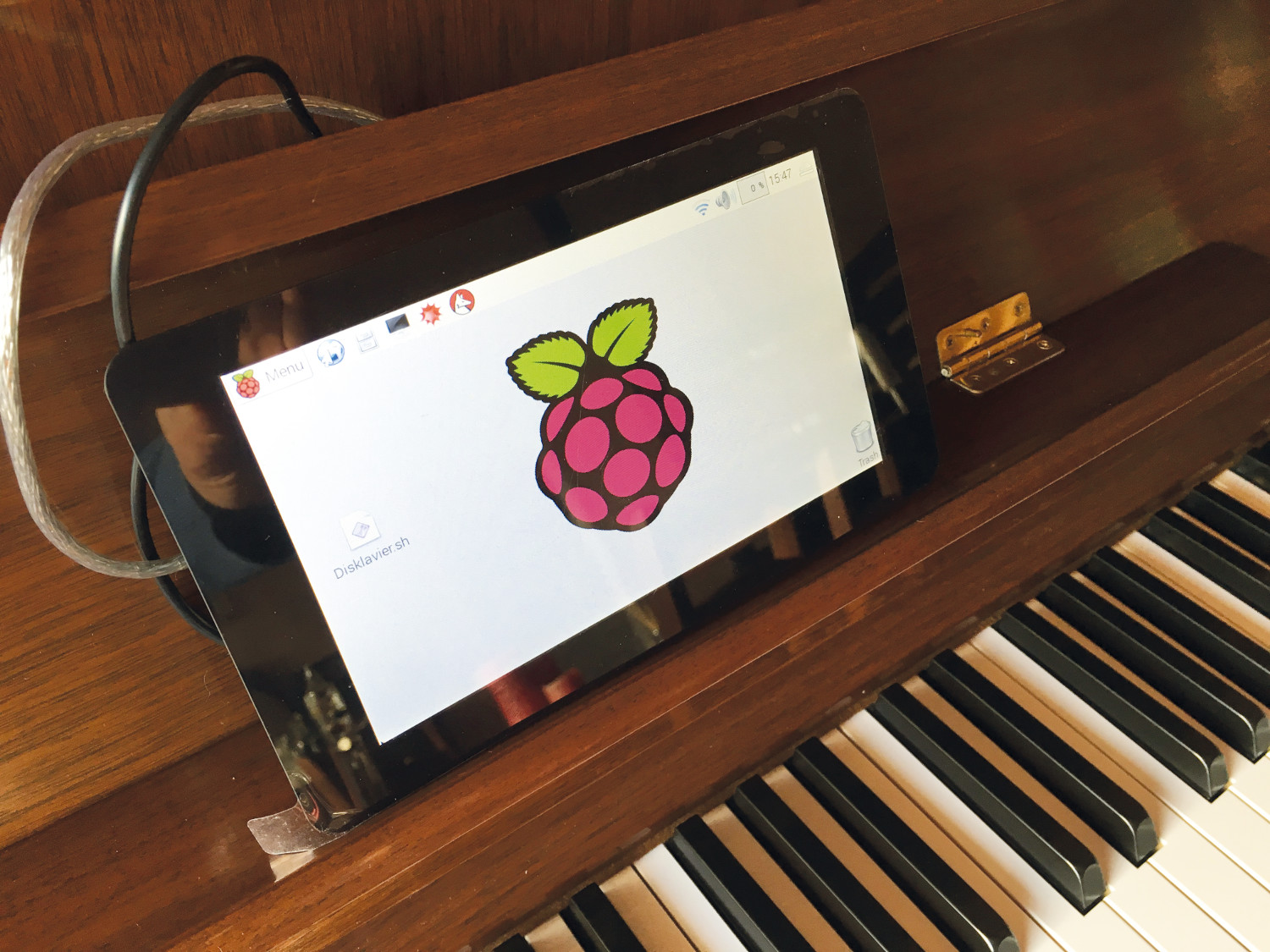
Lloyd loaded the Raspbian Jessie operating system and tried to play a file on the command line with the aplaymidi utility. “I was going to write my own cataloguing and playing software and while researching it, I came across XPMIDIM, which does the job nicely. It has a GNU public licence, so you can modify it if need be.”
The end result is a fully working, self-playing piano which is a vast improvement upon the original version. Lloyd is able to store far more songs, and a program that he developed for the touchscreen enables rapid access to his choice of a list of thousands of songs.
“It’s working and working well,” says Lloyd. “I have a few different playlists that I favour, and I also like to play manually as well. It’s a nice happy pianola to have around the house.
“I have showed it to people and they are amazed, and think I’m very clever. However, it was quite an easy project, as most of the ‘trickery’ is already in place. I just had to fit all the pieces of the puzzle together.”
Lloyd tells us that his pianola project is mostly complete. “I think I would like to have a crack at doing the reverse, so I could play straight into the storage on the Raspberry Pi.” This is a feature built into the pianola, but it writes directly to the floppy disk.
“With a bit of extra software,” says Lloyd, “you could output through the MIDI ports back in. That will take a little research and is on the list of things to do.”

Russell runs Raspberry Pi Press, which includes The MagPi, Hello World, HackSpace magazine, and book projects. He’s a massive sci-fi bore.
Subscribe to Raspberry Pi Official Magazine
Save up to 37% off the cover price and get a FREE Raspberry Pi Pico 2 W with a subscription to Raspberry Pi Official Magazine.
More articles

Red Raven cyberdeck
Powered by drills
Read more →

MirrorBallBot
This trick uses no smoke but it does use mirrors
Read more →

Digital Displays in Raspberry Pi Official Magazine 170
Some projects seem more like magic to us than anything else; here’s one of them. This robot by Italian engineer/magician Andrea Favero uses a mirror to widen the field of vision of a Raspberry Pi Camera Module 3, the input from which is processed by Raspberry Pi 4 and used to control three legs to […]
Read more →