Argon Neo & Argon Fan HAT review
By Lucy Hattersley. Posted
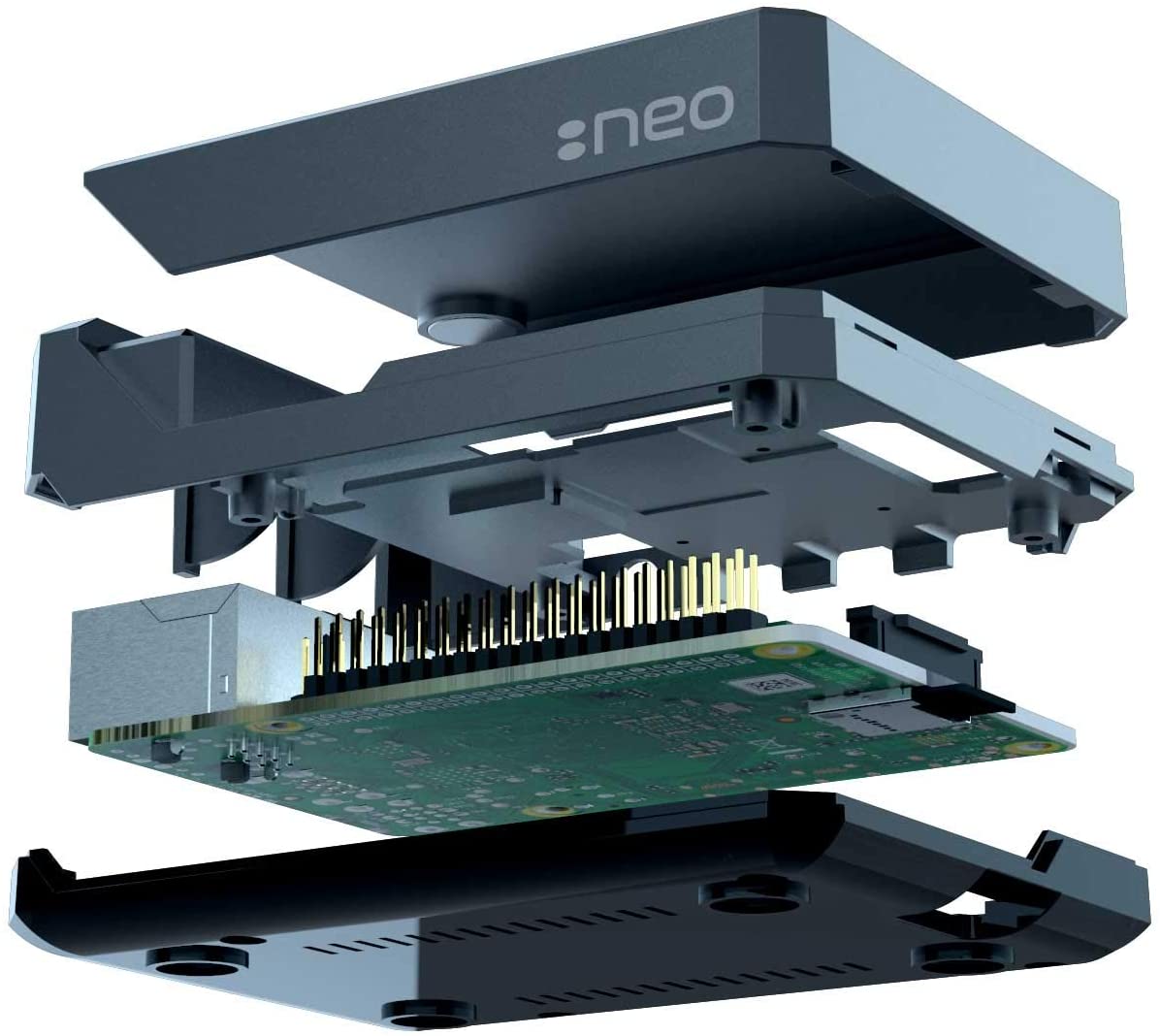
Argon Neo is the latest case from Argon40, an impressive case maker which came onto everybody’s radar last year following a successful Kickstarter campaign to build a high-quality case. The result was Argon One, which won our group test of thermal cases for Raspberry Pi.
The Argon Neo and Argon Fan HAT split the case and cooling system into two separate purchases. These fit together neatly to provide a single integrated solution.
Whereas the Argon One has a fan integrated into the lid and a breakout board to move connections to the rear, Argon Neo surrounds the Raspberry Pi board and provides access holes for the original connections.

Alongside the fan, The Argon Fan HAT provides a power button, which can perform safe shutdown, forced shutdown, and reboot Raspberry Pi.
Putting it together
As with other cases (such as Flirc), the metal part of the case connects to the CPU and RAM (with included thermal paste). The metal case acts as a passive heatsink.
A neat touch it shares with Argon One is the GPIO pin layout guide printed on the case. (Although with the Argon Fan HAT attached, half of the GPIO pins numbers are hidden behind the board.)
Unlike Argon One, you can also access Raspberry Pi’s Display and Camera ports (the latter only without the fan connected). When you’re done with accessing ports and GPIO pins, the metal lid snaps the whole kit shut via a magnet to form a stylish metal case.

Keeping it cool
The fan speed is related to the CPU temp, kicking in at 55°C and increasing to 100% fan speed at 65°C.
We stress-tested a Raspberry Pi 4 (4GB) CPU at full capacity for 15 minutes with both Argon Neo and Argon Fan HAT attached.
Things started at 37°C and the temperature slowly rose and hovered around 55°C, before the fan duly kicked in and held the temperature in check for the full 15 minutes, maxing out at 58°C.
We ran the same test with the Argon Neo case without the fan attached and found the temperature maxed out at 58°C – exactly the same temperature as with the fan attached.
None of this is anywhere close to threatening Raspberry Pi performance. As the CPU temperature approaches 85°C, Raspberry Pi OS throttles the CPU speed to bring down the temperature. Either with or without the fan, we didn’t get anywhere near that temperature.

With that in mind, we overclocked our Raspberry Pi 4 to 2.0GHz and reran the test. Without the fan, the temperature ran up to 82°C (and was kept in check by the passive cooling of the case alone). Still not enough for Raspberry Pi OS to begin throttling the CPU.
So, we are left wondering whether you actually need the fan?
Which to buy?
It’s $15 for the Argon Neo case and $10 for the Fan HAT, which makes the package the same price as the larger Argon One.
To its credit, the Argon Neo is a more minimalist design that’s slimmer and more in keeping with the design aesthetic of Raspberry Pi. It’s certainly a neat solution, and is cheaper if you opt for the Argon Neo case on its own.
Verdict
8/10
We like this an awful lot, but we like the original Argon One case a little more. However, the Neo is stylish and cheaper if you opt for the case without the fan.

Lucy is Editor of Raspberry Pi Official Magazine.
Subscribe to Raspberry Pi Official Magazine
Save up to 37% off the cover price and get a FREE Raspberry Pi Pico 2 W with a subscription to Raspberry Pi Official Magazine.
More articles

Raspberry Pi Official Annual 2027 is out now!
New name, same fantastic content
Read more →

Robot arm lamp
This won’t be jumping on any animation studio logos
Read more →

Sage Cadence interview
An electrical engineering student trying to provide the educational content she would have wanted
Read more →