Debian + PIXEL: Raspberry Pi OS for Mac and PC
By Russell Barnes. Posted

How to use the Raspberry Pi operating system with the PIXEL desktop interface on your Mac and PC

The Raspberry Pi Foundation announced a new operating system for Mac and PC computers. It's called Debian + PIXEL.
The new software enables you to install a Raspberry Pi-like OS on your computer. It boots from a DVD, USB Thumb drive or inside a virtual environment.
Readers of The MagPi in print will get a free DVD with Debian + PIXEL attached. Look out for The MagPi 54 on sale Thursday 22 December.
Click here to download a copy of Debian + PIXEL
The MagPi 54 also contains an in-depth feature looking at Debian + PIXEL. This feature has the following information:
- How to run Debian + PIXEL on a Mac or PC.
- Create a persistence drive to save your files.
- Create a Debian + PIXEL thumb drive to boot on any computer.
- Plus! Exclusive interview with Raspberry Pi co-founder Eben Upton.
Debian + PIXEL on a PC or Mac
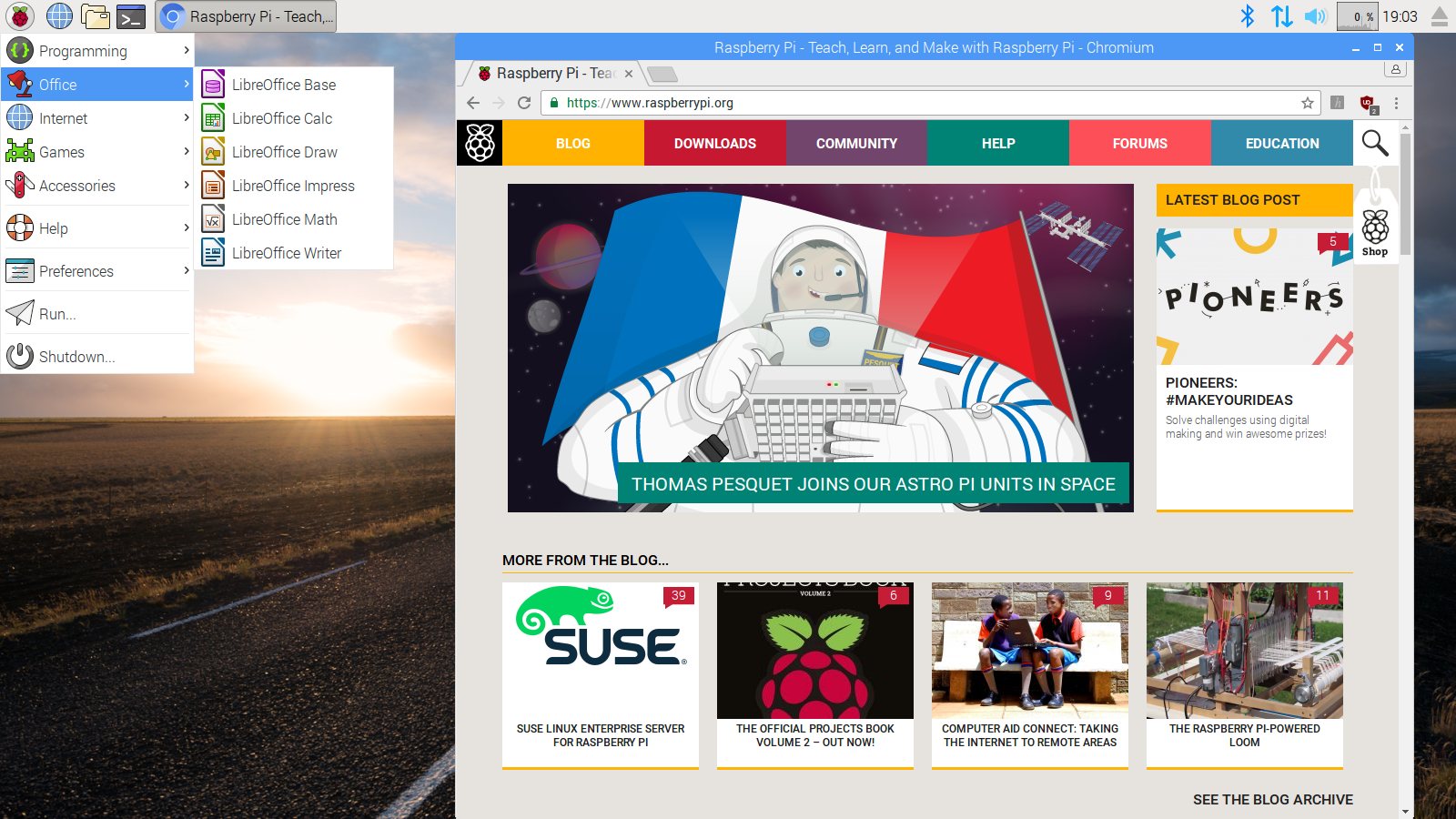
With Debian + PIXEL you carry on using your regular operating system. But can boot into the coding environment when you want to experiment with coding, Linux or software development.
The OS has most of the software that comes with Raspbian. Like the Raspberry Pi, it's ideal for makers and coders.
Only n0w, you don't even need to buy Raspberry Pi hardware to discover the learning environment. It's also going to make life easier for code clubs and teachers.
It's a safe learning environment for experimentation. Learners can install software, create programs and play around. But the main operating system remains safe and sound.
"I guess the real questions is ‘why didn’t we do it earlier?’,” Eben told us. “People used to say to us things like: ‘why aren’t you doing software?’ and ‘everyone’s got a PC’.”
One thing that’s superb is “the curation,” explained Eben. Software like Flash, Chromium, Java, and LibreOffice requires a lot of effort to get on board. “It’s getting close to being the perfect environment for productivity and learning to code. “We’ve now got a piece of software that’s pretty interesting. The question became: ‘why are we forcing people to buy a Raspberry Pi to run it?’ “So we’ve come full circle,” Eben concludes. “We’re giving it a go to see if people like it.”

Russell runs Raspberry Pi Press, which includes The MagPi, Hello World, HackSpace magazine, and book projects. He’s a massive sci-fi bore.
Subscribe to Raspberry Pi Official Magazine
Save up to 37% off the cover price and get a FREE Raspberry Pi Pico 2 W with a subscription to Raspberry Pi Official Magazine.
More articles

Digital Displays in Raspberry Pi Official Magazine 170
Some projects seem more like magic to us than anything else; here’s one of them. This robot by Italian engineer/magician Andrea Favero uses a mirror to widen the field of vision of a Raspberry Pi Camera Module 3, the input from which is processed by Raspberry Pi 4 and used to control three legs to […]
Read more →

Win a Development Kit for Compute Module 5
Make CM5 development easier with our competition
Read more →

Raspberry Pi Official Annual 2027 is out now!
New name, same fantastic content
Read more →