PIXEL: the brand new desktop for the Raspberry Pi
By Russell Barnes. Posted

The Raspberry Pi Foundation releases a stunning new desktop fizzing with features

Raspbian has had its biggest update ever this month, thanks to a dazzling new desktop environment called PIXEL.
Raspbian with PIXEL (which stands for ‘Pi Improved Xwindow Environment, Lightweight’) is a huge software update to the desktop environment. It introduces a crisp new interface, and is brimming with new programs and features.
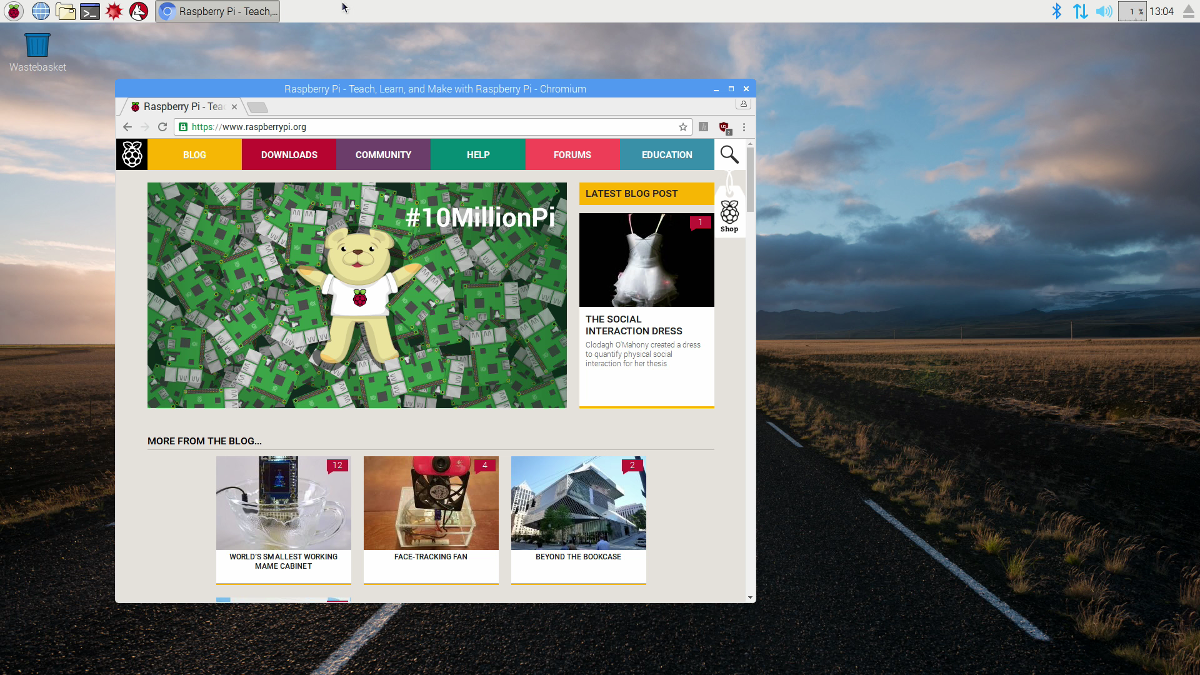
The biggest newcomer is Chromium Browser, which replaces Epiphany as the default web browser. Other new apps include RealVNC’s Viewer and Server, which allow you to control Raspberry Pi devices over a network, plus the recently released Sense HAT Emulator.
But the real star isn’t the new apps: it’s the sensational new look.
The full article was written for The MagPi 50 by Lucy Hattersley, and is out now!
Baking a better Pi
Simon Long, UX engineer at Raspberry Pi, told the story behind Raspbian with PIXEL on the announcement blog this morning: “It was just over two years ago when I walked into Pi Towers for the first time. On the first day, Eben and I sat down and played with the Raspbian desktop for half an hour. He asked me ‘do you think you can make it better?’”
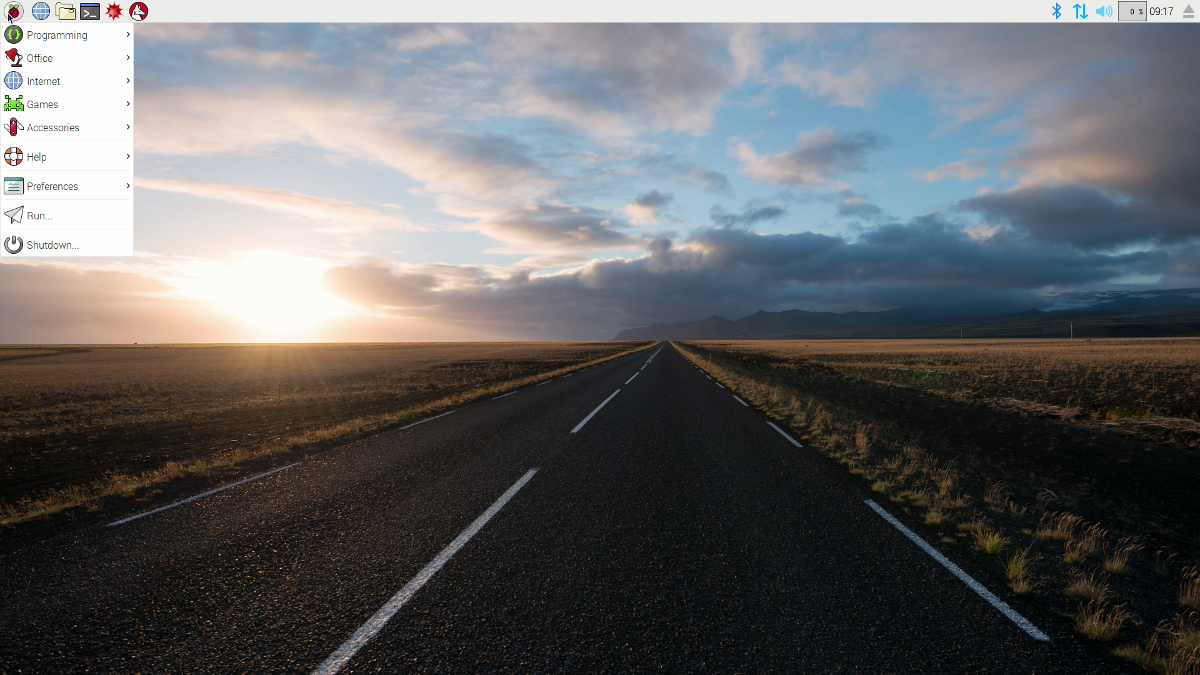
That conversation led to two years of hard work building a new interface. You’ll notice the difference as soon as you boot up your Raspberry Pi. Instead of viewing text scrolling up the screen, Raspbian with PIXEL starts with a boot splash image.
The splash screen is followed by a stunning photograph of an Icelandic road on your desktop. “We are very fortunate in that Greg Annandale, one of the Foundation’s developers, is also a very talented (and very well-travelled) photographer, and he has kindly allowed us to use some of his work as desktop pictures for PIXEL,” explains Simon.
The making of an icon
The visual refresh extends far beyond the desktop imagery. The icon set has been completely redesigned with a much friendlier feel, in keeping with the Raspberry Pi website.
“Sam Alder and Alex Carter, the guys responsible for all the cartoons and graphics you see on our website, have been sweating blood over these for the last few months,” remarks Simon, “with Eben providing a watchful eye to make sure every pixel was exactly the right colour.”
“The old window design looked a bit dated, compared to what Apple and Microsoft are shipping," says Simon. “[PIXEL] windows now have a subtle curve on the corners, a cleaner title bar with new Close, Minimise, and Maximise icons, and a much thinner frame.”
PIXEL perfect
Closer inspection of Raspbian with PIXEL reveals further features. “In the past, if your Raspberry Pi was working particularly hard, you might have noticed yellow and red squares appearing in the top-right corner of the screen,” says Simon. “These have been replaced with new symbols that make it a bit more obvious: a lightning bolt for undervoltage and a thermometer for overtemperature.”
You can also disable WiFi and Bluetooth from the menu bar, a frequently requested feature.
Updating to Raspbian with PIXEL
The PIXEL desktop ships with the new Raspbian image file. Raspbian with PIXEL is available at the Raspberry Pi downloads page. It’s also possible to update a current Raspbian Jessie installation using these commands:
sudo apt-get update
sudo apt-get dist-upgrade
sudo apt-get install -y rpi-chromium-mods
sudo apt-get install -y python-sense-emu python3-sense-emu python-sense-emu-doc
Reboot to use Raspbian with PIXEL. Find out more on the release blog, and check back tomorrow for our very special issue 50!

Russell runs Raspberry Pi Press, which includes The MagPi, Hello World, HackSpace magazine, and book projects. He’s a massive sci-fi bore.
Subscribe to Raspberry Pi Official Magazine
Save up to 37% off the cover price and get a FREE Raspberry Pi Pico 2 W with a subscription to Raspberry Pi Official Magazine.
More articles

MirrorBallBot
This trick uses no smoke but it does use mirrors
Read more →

Digital Displays in Raspberry Pi Official Magazine 170
Some projects seem more like magic to us than anything else; here’s one of them. This robot by Italian engineer/magician Andrea Favero uses a mirror to widen the field of vision of a Raspberry Pi Camera Module 3, the input from which is processed by Raspberry Pi 4 and used to control three legs to […]
Read more →

Win a Development Kit for Compute Module 5
Make CM5 development easier with our competition
Read more →