Ultrasonic Theremin
By Russell Barnes. Posted

An inventive use of the Raspberry Pi that makes use of the kind of components you might have lying around the workshop

Thinking outside the box is what we like here at The MagPi. The Raspberry Pi is so versatile and so open that you can do so much with it that perhaps other people wouldn’t have dreamt of before. So here’s a good question: with a Raspberry Pi, some speakers, and an ultrasonic distance sensor used for robotics, what would you make? Linus Forslid decided to build a type of theremin.
The full article can be found in The MagPi 38

“A theremin is a device that measures distances to objects nearby and turns that into sound, so that when you move your hands around it, you can generate music,” Linus explains. It’s not exactly like a normal theremin, though. “Unlike a classic theremin, my project uses an ultrasound sensor rather than measuring electrical fields with antennas, and currently my project only has a single sensor, so you can only control the tone it produces. Eventually, I plan to add another so that the beat can also be manually controlled.”
Theremins were used to create the eerie, creepy music for classic sci‑fi films. Due to this and its unusual method of operation, the theremin has become intriguing to many musicians and techies, including Linus:
“I’ve always wanted a theremin, from the first day I heard of it. It’s just such a cool thing. As it turns out, though, an actual theremin is not cheap or easy to build, but this project was easily doable and I had almost all of the components at home already, so the cost was minimal as well. I decided to use a PC speaker instead of the Pi’s own audio jack and an external speaker, mostly because I could, in addition to it not requiring an additional power source.”
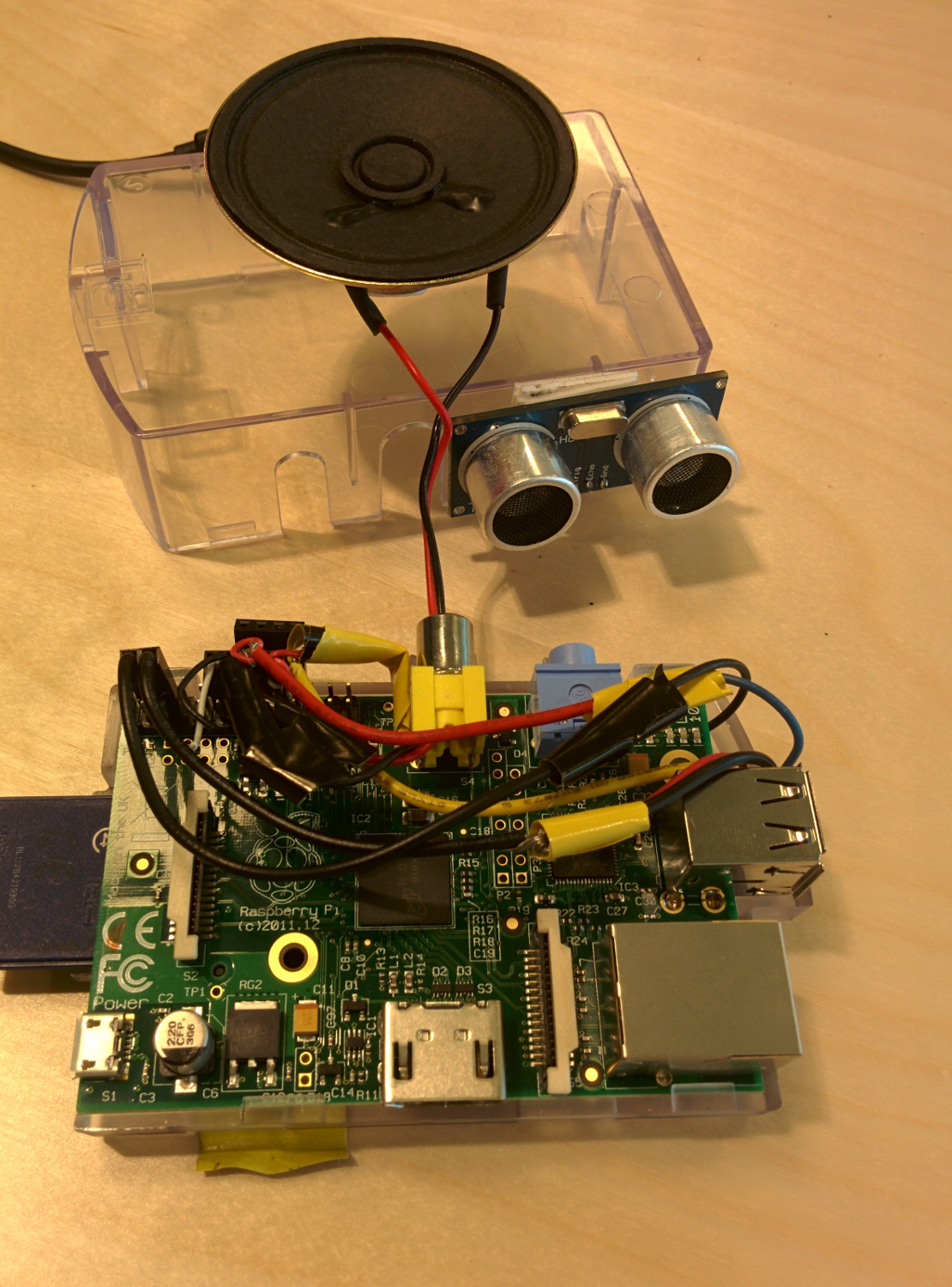
The hardware is one thing, but actually translating it to sound, surely that takes a bit more work on the code to get it operational?
“Not really, I think.” Linus adapted some pre-existing code for the project. “The script that controls the theremin is coded in C using wiringPi, and it took maybe an hour to get it working. I’ve spent a couple of hours beyond that just tweaking the numbers to try out different sounds and find one I like. I wouldn’t say it was complex, even if the tuning took a while.”
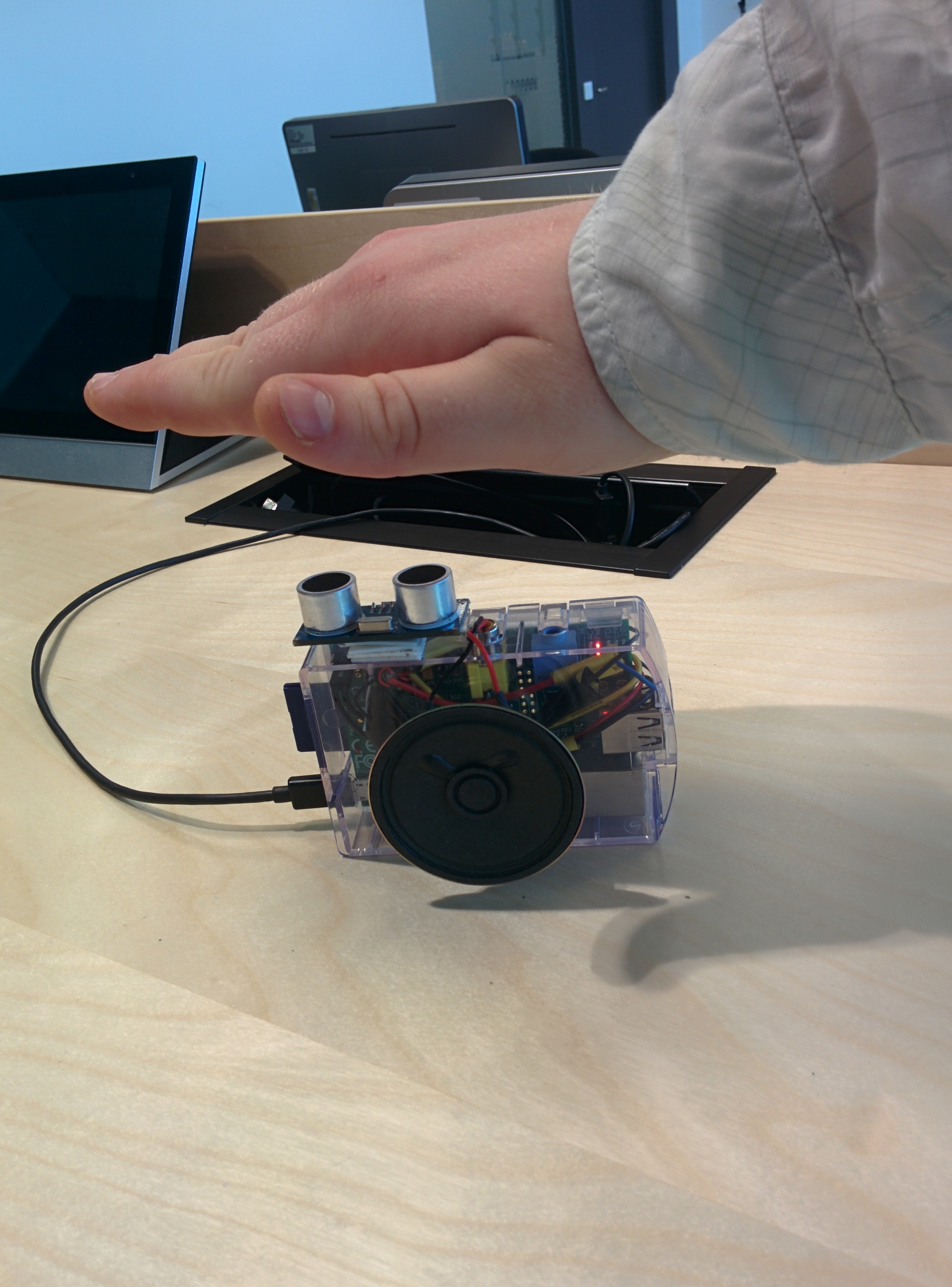
The whole process is deceptively simple then, even though it’s hardly your typical Pi-based project. There are a few caveats, however, and Linus’s Pi-powered theremin could do with a few improvements, as he explains:
“It’s surprisingly hard to operate well, as you need a very steady hand and good aim to get the exact tone you are after… I plan to add another sensor to control the beat of the sound. Right now, it is set entirely by the script, which means it’s basically static. By allowing the user to control the beat, my hope is that it will actually be useful as a musical instrument.”

Russell runs Raspberry Pi Press, which includes The MagPi, Hello World, HackSpace magazine, and book projects. He’s a massive sci-fi bore.
Subscribe to Raspberry Pi Official Magazine
Save up to 37% off the cover price and get a FREE Raspberry Pi Pico 2 W with a subscription to Raspberry Pi Official Magazine.
More articles

MirrorBallBot
This trick uses no smoke but it does use mirrors
Read more →

Digital Displays in Raspberry Pi Official Magazine 170
Some projects seem more like magic to us than anything else; here’s one of them. This robot by Italian engineer/magician Andrea Favero uses a mirror to widen the field of vision of a Raspberry Pi Camera Module 3, the input from which is processed by Raspberry Pi 4 and used to control three legs to […]
Read more →

Win a Development Kit for Compute Module 5
Make CM5 development easier with our competition
Read more →