Windows IoT: Facial Recognition Door
By Russell Barnes. Posted

This Raspberry Pi-controlled door can spot a face, and open up for people it knows – strangers get shown the (closed) door

Microsoft has been busy making the most of the Raspberry Pi board with its Windows 10 IoT Core operating system.
Windows 10 IoT Core might not be the home version of Windows 10 that some users would like on their Raspberry Pi. However, it taps into some pretty powerful services and enables hackers to create unique projects.
The full article can be found in The MagPi 52 and was written by Lucy Hattersley.
“The Windows 10 IoT Core Facial Recognition Door is an example of a compelling new experience that can be created when Windows 10 IoT Core is combined with Microsoft Cognitive Services,” says Masato Sudo, a software engineer in the Microsoft Windows IoT team.
He explains: “It’s a prototype that identifies the visitor.” If the door recognises the visitor, it will greet them by name, and the door will be unlocked and opened.
“If it doesn’t recognise the visitor, it notifies the person that they are not recognised and keeps the door locked,” Masato tells us. They’re really shown the door.
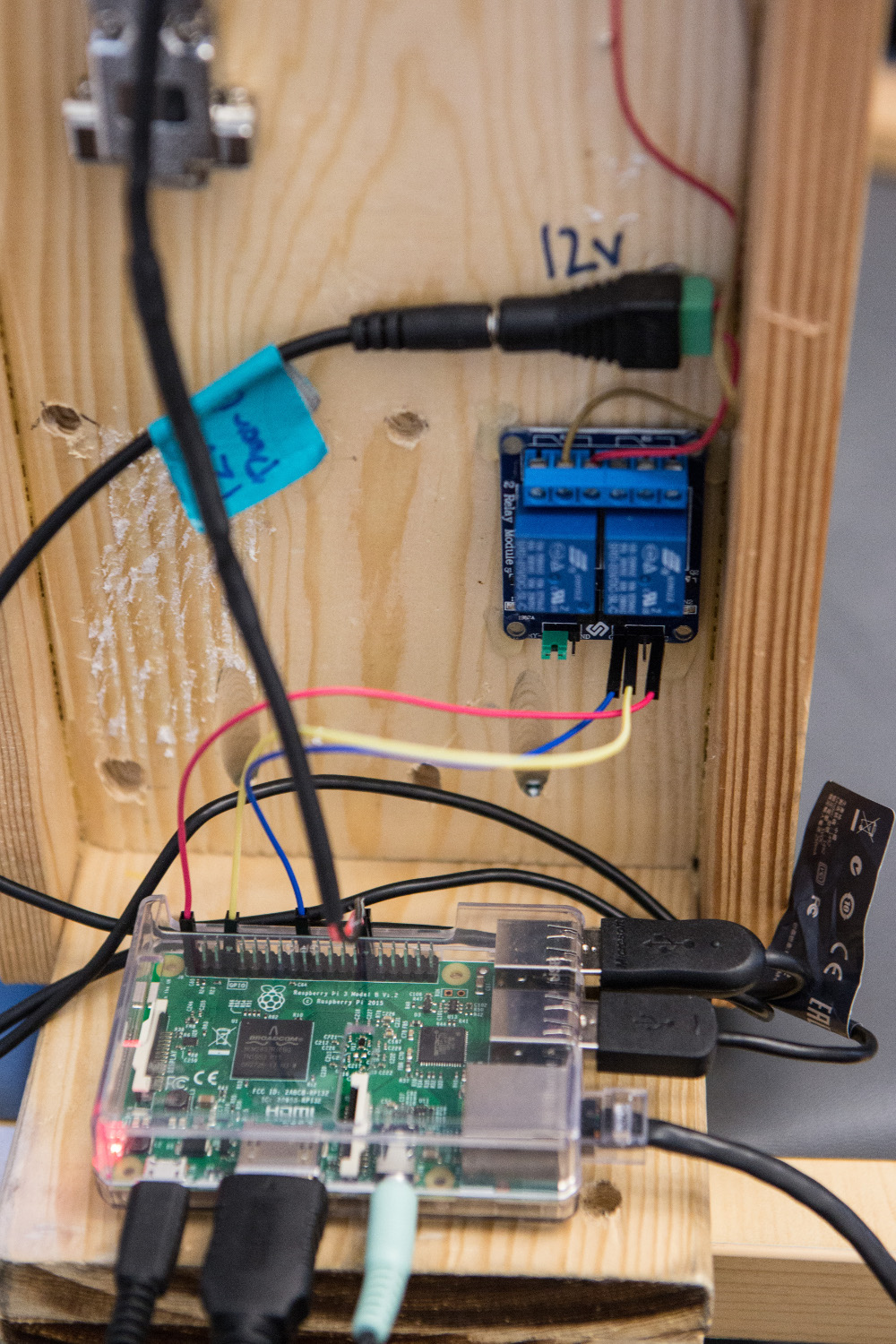
Facial recognition is no mean feat, but the hardware requirements are surprisingly light. Attached to the Raspberry Pi is a standard USB camera to capture the face of prospective visitors. At the same time, a regular set of speakers is used to provide voice feedback to the guest.
For the door to open, a GPIO pin is wired up to a relay switch. When the Raspberry Pi sends a signal to the GPIO, the relay switch unlocks the door.
Finally, another GPIO pin is wired up to a doorbell. When the visitor presses the doorbell, it snaps a photo of their face, and the authentication process begins.
“Windows 10 IoT Core is the brains of the project,” explains Masato. “For facial recognition, it uses a Microsoft Cognitive Services API that runs in the Microsoft Azure cloud.”
Microsoft Cognitive Services is the new name for Project Oxford. It “provides machine learning and artificial intelligence capabilities in the areas of vision, speech, language, knowledge, and search,” explains Masato. For the project, he used the Face API.
“We create a friends and family list, and add their pictures to a list in the Microsoft Azure cloud,” says Masato. “We used the Face API’s Face Grouping feature for this process. It’s used to sort faces into groups based on their visual similarity. After a picture is taken of the visitor at the door, it verifies it’s a human face before sending it for a face match.”

If the image does contain a human face, it’s sent to the Microsoft Azure cloud to detect if it’s a match. “It searches matches of the face from the list we created,” explains Masato, “and returns the confidence level of 0 to 100% on the likelihood of a face match.
“We wrote our code in C# and used Visual Studio 2015 to code, deploy, and debug our project on Raspberry Pi,” he continues. “We shared our code with the open-source community so that developers can enhance the security.”

Russell runs Raspberry Pi Press, which includes The MagPi, Hello World, HackSpace magazine, and book projects. He’s a massive sci-fi bore.
Subscribe to Raspberry Pi Official Magazine
Save up to 37% off the cover price and get a FREE Raspberry Pi Pico 2 W with a subscription to Raspberry Pi Official Magazine.


